
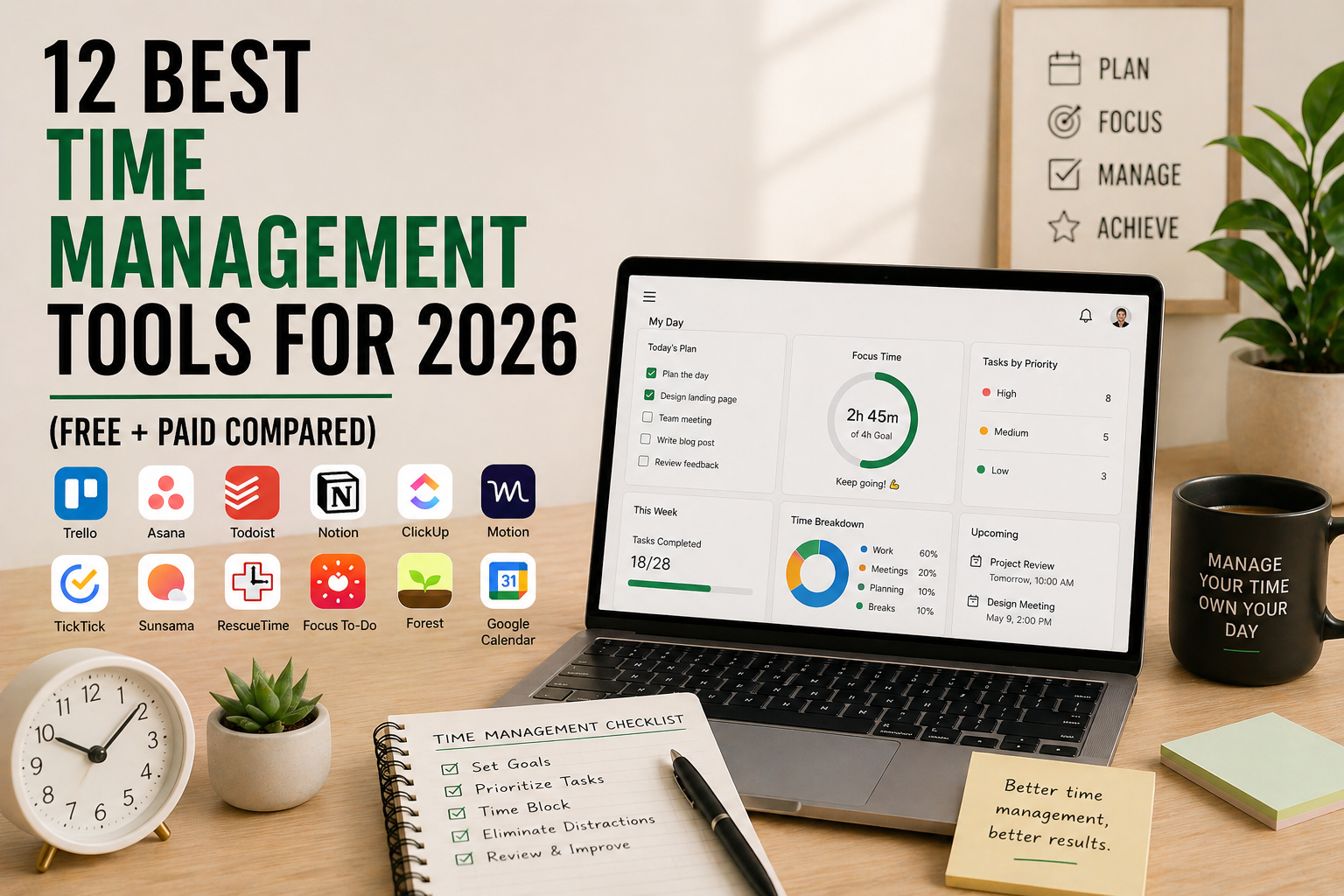
Time slips through your fingers when you don’t have a system. You start the day with five priorities, finish with one done, and can’t quite explain where the other seven hours went. The right time management tool fixes that fast — by tracking where your time actually goes, blocking out focused work, or just stopping you from forgetting the small stuff.
This guide compares the 12 best time management tools of 2026, with real pricing, what each one is genuinely good at, where it falls short, and which one fits your workflow. Whether you’re a freelancer tracking billable hours, an entrepreneur juggling 10 projects, or a student trying to study smarter, there’s a clear pick for you below.
What You’ll Learn
- The 12 best time management tools available right now
- Pricing for each one, including free plans and paid tiers
- Which type of tool fits which workflow (tracker vs planner vs blocker)
- A side-by-side comparison table
- How to pick the right tool in under 5 minutes
- Answers to the most common time management questions
What Is a Time Management Tool?
A time management tool is software that helps you plan, track, prioritize, or protect your time so you finish more meaningful work in fewer hours. Some tools track how you spend time automatically (Toggl, RescueTime). Others help you plan and block out work in advance (Motion, Sunsama, Reclaim). Some are full task and project managers (Notion, Todoist, ClickUp), and some are simple focus tools that block distractions while you work (Forest, Freedom).
Most people don’t need just one — the best system usually combines a tracker, a planner, and a focus tool. If you’re new to structured planning, start with our guide on time blocking for entrepreneurs first, then come back here to pick the tool that runs your blocks.
The 4 Types of Time Management Tools
Before picking a tool, know which type you actually need. Most people pick the wrong category and blame the tool when their system fails.
- Time trackers — show you where your hours actually go (Toggl, RescueTime, Clockify, Harvest)
- AI planners and time blockers — automatically schedule your tasks into your calendar (Motion, Reclaim, Sunsama)
- Task and project managers — organize what needs to get done (Notion, Todoist, TickTick, ClickUp)
- Focus and distraction blockers — protect your attention while you work (Forest, Freedom, Cold Turkey)
How We Picked These 12 Time Management Tools
We evaluated 40+ tools and narrowed the list based on five criteria. First, ease of use — could a beginner get value in their first week? Second, free plan quality — is the free tier genuinely useful or a sales funnel? Third, integrations — does it connect with the tools you already use (Google Calendar, Slack, Notion)? Fourth, platform coverage — Mac, Windows, web, iOS, Android availability. And fifth, the actual problem it solves — does it save real hours, or just add another app to check?
Quick Comparison Table — All 12 Time Management Tools
| Tool | Type | Best For | Free Plan | Paid Plan Starts |
|---|---|---|---|---|
| Toggl Track | Tracker | Freelancers & billable hours | Yes (5 users) | ~$9/user/mo |
| RescueTime | Tracker | Auto-tracking your habits | Limited | ~$12/mo |
| Clockify | Tracker | Teams on a budget | Unlimited free | ~$3.99/user/mo |
| Notion | Task manager | All-in-one workspace | Yes (personal) | ~$10/user/mo |
| Todoist | Task manager | Simple, fast task lists | Yes (5 projects) | ~$4/mo |
| TickTick | Task manager | Tasks + Pomodoro built in | Yes | ~$2.79/mo |
| Motion | AI planner | Auto-scheduling tasks | 7-day trial | ~$19/mo |
| Reclaim.ai | AI planner | Calendar defense | Yes (limited) | ~$10/user/mo |
| Sunsama | Daily planner | Mindful daily planning | 14-day trial | ~$20/mo |
| ClickUp | Project manager | Teams & multi-project work | Yes | ~$7/user/mo |
| Forest | Focus blocker | Phone distraction | iOS paid one-time | ~$3.99 one-time |
| Freedom | Focus blocker | Cross-device blocking | 7 sessions | ~$8.99/mo |
Pricing is approximate USD as of publish date. Always verify current pricing on the tool’s official site before purchasing — vendors change pricing often.
1. Toggl Track — Best for Freelancers & Billable Hours
Type: Time tracker
Best for: Freelancers, agencies, anyone billing by the hour
Pricing: Free for up to 5 users, then Starter around $9/user/month, Premium around $18/user/month
Platforms: Web, Mac, Windows, Linux, iOS, Android, browser extensions
Toggl Track is the cleanest, fastest time tracker on the market. One click starts the timer, one click stops it. You can tag time entries by project and client, then export polished reports for invoicing. The free plan is unusually generous — five users, unlimited time tracking, basic reports — which makes it the default pick for solo freelancers and small agencies.
The downside: Toggl is a tracker, not a planner. It tells you where time went, not where it should go. Pair it with a task manager like Todoist or Notion for a complete system.
Pros: Genuinely free for individuals and small teams. One-click timer is faster than alternatives. Strong reporting and invoicing exports. Works across every platform. Browser extensions track time inside other apps.
Cons: Tracking only — no planning or task management. Premium features can get expensive at scale. Reports are functional but not visually beautiful.
Visit Toggl Track: https://toggl.com/track
2. RescueTime — Best for Auto-Tracking Your Real Habits
Type: Time tracker (automatic)
Best for: Anyone who wants the truth about where their hours actually go
Pricing: Limited free plan, then Premium around $12/month
Platforms: Mac, Windows, Linux, iOS, Android, browser extensions
RescueTime runs silently in the background and automatically logs every app you use, every website you visit, and how long you spend on each. At the end of the week, you get a brutal report that often reveals you spent four hours on Slack and 90 minutes on actual writing. That awareness alone changes behavior for most people.
It pairs especially well with focus techniques like the Pomodoro Technique — RescueTime tells you what’s eating your time, Pomodoro helps you reclaim it.
Pros: 100% automatic — no timers to start. Honest data on where time actually goes. Distraction blocker built into Premium. Weekly email reports are genuinely useful. Privacy-respecting (data stored locally where possible).
Cons: Free plan is more of a teaser. Reports can feel like judgment if you’re not ready to face the numbers. No project-level billing.
Visit RescueTime: https://www.rescuetime.com
3. Clockify — Best Free Time Tracker for Teams
Type: Time tracker
Best for: Teams that need tracking but can’t justify per-seat pricing
Pricing: Unlimited free plan, then paid tiers from around $3.99/user/month
Platforms: Web, Mac, Windows, Linux, iOS, Android
Clockify’s pitch is simple: most of what Toggl charges for, Clockify gives away. Unlimited users, unlimited tracking, unlimited projects on the free plan. The paid tiers add admin controls, time-off tracking, and approval workflows.
The trade-off: the interface is busier than Toggl’s, and the polish isn’t quite there. But for teams of 10-50 people who’d otherwise spend $90-450/month on Toggl, Clockify is hard to refuse.
Pros: Genuinely unlimited free plan. Team-friendly with no per-seat squeeze. Solid reporting. Cross-platform.
Cons: Interface less polished than Toggl. Some workflows feel clunky. Mobile apps lag behind the web version.
Visit Clockify: https://clockify.me
4. Notion — Best All-in-One Workspace for Time & Tasks
Type: Task manager + workspace
Best for: People who want one tool for tasks, notes, docs, and databases
Pricing: Free for personal use, then Plus around $10/user/month
Platforms: Web, Mac, Windows, iOS, Android
Notion isn’t a time management tool in the traditional sense — it’s a flexible workspace where you can build whatever system you need. A daily planner, a project tracker, a habit log, a content calendar, all in one place. The learning curve is real, but once you set up your system, Notion becomes the operating system for your work.
For entrepreneurs especially, Notion replaces 4-5 separate tools. See our list of 10 productivity tips for entrepreneurs for more on consolidating your tool stack.
Pros: One tool replaces many. Generous free plan for individuals. Massive template library and community. AI features built in (in 2026). Beautiful, customizable interface.
Cons: Steep learning curve for new users. Easy to spend more time building the system than doing the work. Mobile apps slower than competitors. Not ideal for billable time tracking.
Visit Notion: https://www.notion.so
5. Todoist — Best Simple Task Manager
Type: Task manager
Best for: People who want a fast, simple to-do list that just works
Pricing: Free for up to 5 active projects, then Pro around $4/month
Platforms: Web, Mac, Windows, Linux, iOS, Android, browser extensions
Todoist has been the gold standard of clean task management for over a decade. You add tasks in natural language (“Pay rent every 1st of the month”), it parses and schedules them automatically. No setup, no overhead, no learning curve. For most people, this is all the task management they need.
It works especially well for anyone applying the 5 time management hacks for entrepreneurs — Todoist makes capturing and prioritizing daily tasks effortless.
Pros: Almost zero learning curve. Excellent natural language input. Reliable across all platforms. Karma points and streaks add light gamification. Strong free plan.
Cons: No built-in time tracking. Project view limited compared to ClickUp or Notion. Some advanced features locked behind paywall.
Visit Todoist: https://todoist.com
6. TickTick — Best Task Manager With Pomodoro Built In
Type: Task manager + Pomodoro timer
Best for: People who want tasks and focus sessions in one app
Pricing: Free with core features, then Premium around $2.79/month
Platforms: Web, Mac, Windows, iOS, Android, Apple Watch
TickTick is what Todoist would be if it had a built-in Pomodoro timer, habit tracker, and a more aggressive feature roadmap. You add a task, hit “focus”, and TickTick runs a Pomodoro timer that logs focused minutes against that specific task. It’s a small detail that changes how you work.
Premium is also one of the cheapest in this category at under $3/month — a no-brainer if you need calendar view and habit tracking.
Pros: Pomodoro timer built into tasks. Habit tracker included. Cheap Premium plan. Natural language input like Todoist. Calendar view in Premium.
Cons: Less polished than Todoist. Free plan more limited than competitors. Smaller third-party integration ecosystem.
Visit TickTick: https://ticktick.com
7. Motion — Best AI Planner for Auto-Scheduling Tasks
Type: AI calendar & task planner
Best for: Busy professionals who hate manual scheduling
Pricing: 7-day free trial, then Individual around $19/month, Team around $12/user/month (annual)
Platforms: Web, Mac, Windows, iOS, Android
Motion uses AI to automatically schedule your tasks into your calendar based on deadlines, priorities, and meeting load. You add a task with an estimated duration and deadline; Motion finds the right time slot. When something changes — meeting added, task takes longer than expected — it automatically reschedules everything.
It’s expensive at $19/month, but for people who lose 30+ minutes a day to scheduling friction, it pays for itself in week one.
Pros: Genuine AI auto-scheduling that works. Adapts in real time as your day changes. Combines tasks, calendar, and meeting scheduler in one. Strong for project management with deadlines.
Cons: Expensive compared to alternatives. Steep learning curve to trust the AI. Can feel rigid if your work doesn’t fit deadline-based planning. No free plan, only a trial.
Visit Motion: https://www.usemotion.com
8. Reclaim.ai — Best for Calendar Defense & Habit Scheduling
Type: AI calendar assistant
Best for: People who want to protect time for habits, focus work, and breaks
Pricing: Free with limits, then Starter around $10/user/month
Platforms: Web (integrates with Google Calendar)
Reclaim sits on top of your Google Calendar and automatically blocks time for things that usually get squeezed out — focus work, lunch, exercise, learning, even buffer time between meetings. If a meeting gets booked over your gym block, Reclaim moves the gym block to another open slot instead of just losing it.
Pros: Genuine calendar defense for habits and focus. Smart task scheduling. Decent free plan. Tight Google Calendar integration. Smart 1:1 meeting scheduling.
Cons: Google Calendar only (no Outlook on free plan). Setup takes some patience. Can over-schedule if you’re not careful.
Visit Reclaim: https://reclaim.ai
9. Sunsama — Best Mindful Daily Planner
Type: Daily planner
Best for: People who want a calm, intentional daily planning ritual
Pricing: 14-day free trial, then around $20/month
Platforms: Web, Mac, Windows, iOS, Android
Sunsama is the opposite of cramming more tasks into your day. Every morning, it walks you through a structured planning ritual — review yesterday, pick today’s tasks, estimate time for each, fit them into your calendar. The whole philosophy is “plan less, finish more.”
It pairs beautifully with a strong morning routine — Sunsama becomes the planning anchor that turns your morning into actual focused work.
Pros: Encourages realistic, calm planning. Pulls tasks from Asana, Trello, ClickUp, Gmail, and more. Daily and weekly review prompts built in. Beautiful interface.
Cons: Pricey at $20/month. No free plan. Overkill if you don’t want a structured planning ritual.
Visit Sunsama: https://www.sunsama.com
10. ClickUp — Best for Teams & Multi-Project Work
Type: Project & task manager
Best for: Teams managing multiple projects with time tracking needs
Pricing: Free plan with limits, then Unlimited around $7/user/month
Platforms: Web, Mac, Windows, Linux, iOS, Android
ClickUp tries to be everything — tasks, projects, docs, goals, time tracking, mind maps, even chat. For teams that want to consolidate their tool stack into one platform, it’s the most ambitious option in this list. The free plan is generous and includes time tracking, which is rare.
The risk: ClickUp does so much that small teams can drown in features they don’t need. Start with the basics, add views as you go.
Pros: Generous free plan including time tracking. Combines projects, tasks, docs, and goals. Strong customization. Affordable per-seat pricing.
Cons: Feature overload can overwhelm. Slower performance than simpler tools. Mobile apps less polished than web.
Visit ClickUp: https://clickup.com
11. Forest — Best for Beating Phone Distraction
Type: Focus blocker
Best for: Anyone who can’t stop reaching for their phone
Pricing: Free on Android, around $3.99 one-time on iOS
Platforms: iOS, Android, browser extensions
Forest turns staying off your phone into a game. You plant a virtual tree, set a timer (15-120 minutes), and if you leave the app before the timer ends, the tree dies. Over weeks, you grow a virtual forest that visualizes your focused time. It sounds gimmicky. It works.
For deeper focus protocols, see how Forest pairs with the Pomodoro Technique for compounded focus benefits.
Pros: Genuinely effective at reducing phone use. Cheap one-time purchase. Plants real trees through partnership with Trees for the Future. Light, simple interface.
Cons: Mobile-focused only. Doesn’t block individual websites on desktop. Easy to defeat by switching to another phone.
Visit Forest: https://www.forestapp.cc
12. Freedom — Best for Cross-Device Distraction Blocking
Type: Distraction blocker
Best for: Deep work sessions across all your devices at once
Pricing: 7 free sessions, then around $8.99/month or $39.96/year
Platforms: Mac, Windows, iOS, Android, Linux, Chromebook
Freedom blocks distracting websites and apps simultaneously across every device you own. Start a session on your laptop and your phone is automatically blocked too — no escape route. You can schedule recurring blocks (every weekday 9-12 AM) or trigger one-off sessions when you need to ship work fast.
Pros: Cross-device sync prevents “let me just check on my phone.” Schedule recurring blocks. Strong block lists for social media, news, and gaming. Works on Linux and Chromebook (rare).
Cons: Subscription model for what feels like a simple tool. Limited free trial. Locked Mode (can’t bypass) is hidden behind a setting many users miss.
Visit Freedom: https://freedom.to
How to Choose the Right Time Management Tool
Use this 4-question filter to narrow your choice in under 2 minutes.
First, what’s your real problem? If you don’t know where time goes, start with a tracker (Toggl, RescueTime, Clockify). If you have too many tasks, start with a task manager (Todoist, TickTick, Notion). If you can’t stop manually scheduling, try an AI planner (Motion, Reclaim). If you can’t focus, try a distraction blocker (Forest, Freedom).
Second, are you solo or part of a team? Solo users should pick lightweight tools (Toggl, Todoist, TickTick, Sunsama). Teams should pick collaborative tools (ClickUp, Notion, Clockify).
Third, what’s your budget? Free options that genuinely work include Clockify, Notion (personal), Todoist (limited), Forest (Android), and Reclaim (limited). Everything else has a meaningful paywall.
Fourth, do you need it to play nicely with other tools? Check integrations before committing. Sunsama and ClickUp integrate with the most third-party tools. Notion and Todoist have huge ecosystems. Standalone tools like Forest don’t integrate at all.
Most people end up with a stack of two or three: a tracker, a task manager, and a focus tool. Don’t try to find one tool that does everything. For more on building a real system around your tools, our guide on mindfulness habits of highly productive people covers the mindset that makes any tool actually work.
Frequently Asked Questions
What is the best free time management tool in 2026?
Clockify offers the most generous free plan with unlimited users and unlimited time tracking. Notion’s free personal plan is excellent for combined task and time management. Todoist and TickTick both have solid free task management plans, and Forest (on Android) is free for distraction blocking.
Which time management tool is best for freelancers?
Toggl Track is the standard for freelancers because it’s fast, clean, and exports time reports directly into invoicing tools. Pair it with Todoist or Notion for task management. If you also need calendar scheduling, Reclaim or Motion are strong additions.
What is the best time management tool for teams?
ClickUp is the most complete option for teams managing multiple projects, with built-in time tracking on the free plan. Clockify is the best choice if you need pure time tracking without per-seat pricing. Notion works for teams that want flexibility over structure.
Are AI time management tools like Motion worth it?
For people who lose 30+ minutes a day to scheduling friction, AI planners like Motion or Reclaim pay for themselves quickly. For people with simple, predictable schedules, they’re overkill — a basic task manager and calendar will do the same job for free. Try the free trial of Motion or the free tier of Reclaim before committing.
What is the difference between a time tracker and a time blocker?
A time tracker records where your time actually went (Toggl, RescueTime, Clockify). A time blocker reserves time on your calendar for specific work in advance (Sunsama, Motion, Reclaim). Most effective systems use both — track to see reality, block to shape it.
Can I use one tool for both task management and time tracking?
Yes. ClickUp includes time tracking on its free plan. Notion can be customized with time-tracking databases. TickTick combines tasks with a built-in Pomodoro timer. For most people, however, dedicated tools work better — a focused tracker (Toggl) plus a focused task manager (Todoist) outperforms a do-everything tool.
How many time management tools should I use?
Most effective systems use two or three tools — typically a task manager, a time tracker, and a focus blocker. Avoid stacking more than three. Each new tool adds switching cost and reduces the chance you’ll consistently use any of them. Start with one tool, master it, then add the next.
Final Take — Which Time Management Tool Should You Pick?
If we had to name one winner per category in 2026, here’s the shortlist. Best free time tracker is Clockify. Best paid time tracker is Toggl. Best automatic tracker is RescueTime. Best simple task manager is Todoist. Best task manager with built-in Pomodoro is TickTick. Best all-in-one workspace is Notion. Best AI planner is Motion. Best calendar defender is Reclaim. Best mindful planner is Sunsama. Best for teams is ClickUp. Best phone distraction blocker is Forest. Best cross-device blocker is Freedom.
Pick one tool from each category you actually need — usually that’s a tracker plus a task manager, sometimes plus a focus blocker. Don’t pile on tools you won’t open. The best time management tool is the one you’ll still be using in 90 days.
Related Reading
- Time Blocking for Entrepreneurs
- How to Boost Productivity with the Pomodoro Technique
- 5 Time Management Hacks for Entrepreneurs
- 10 Productivity Tips for Entrepreneurs
- How to Build a Productive Morning Routine
- 12 Best Mind Mapping Tools to Organize Your Ideas