
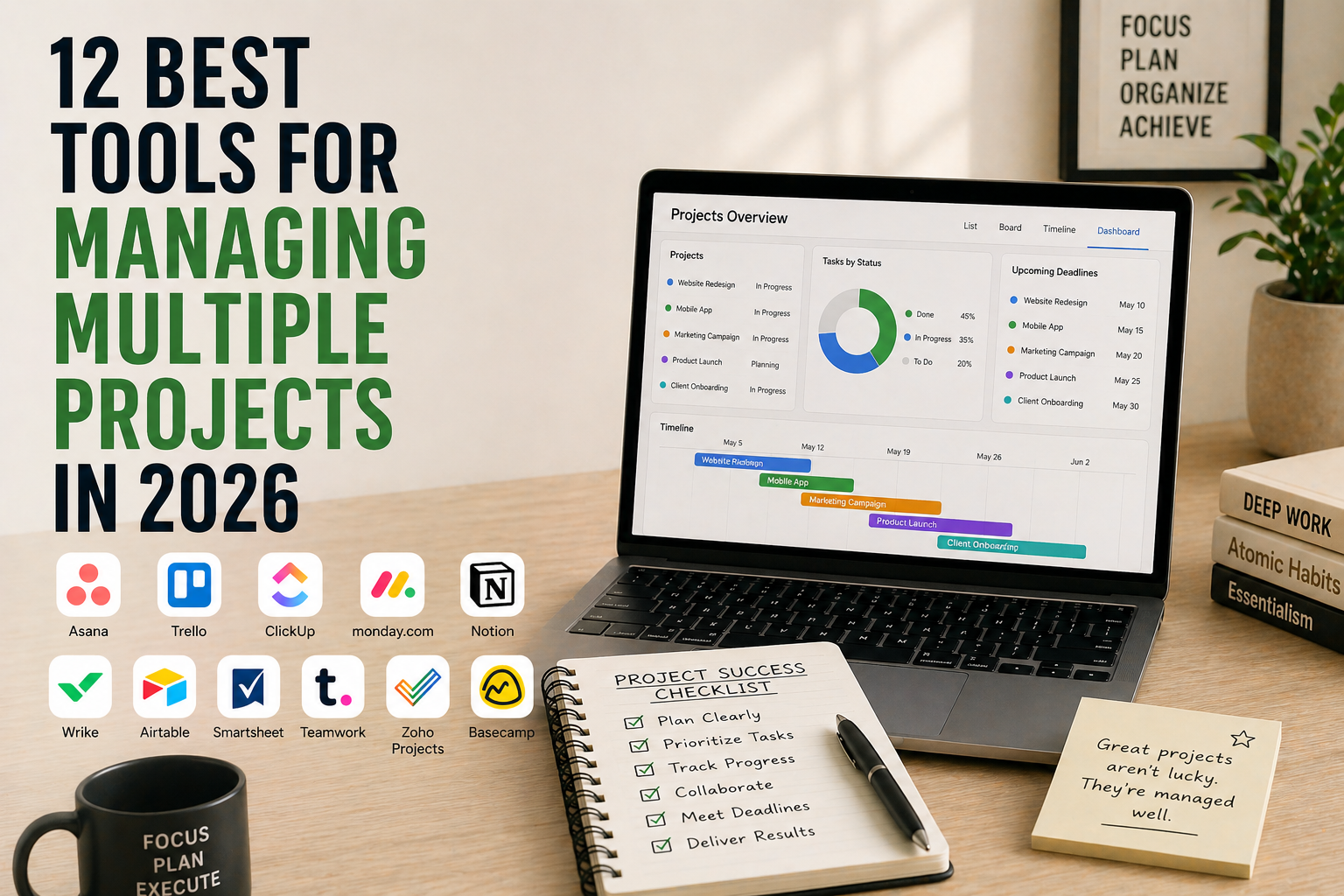
Managing one project is hard. Managing five at once — each with different deadlines, different team members, different stakeholders — is where most systems break. Sticky notes get lost. Tasks fall through email. You spend more time updating status than actually working. The right project management tool fixes all of that by giving every project, every task, and every person one place to live.
This guide compares the 12 best tools for managing multiple projects in 2026, with real pricing, what each one is genuinely good at, where it falls short, and which one fits your team size and workflow. Whether you’re a solo entrepreneur juggling five client projects, a startup with a 15-person team, or an agency running 50 simultaneous deliverables, there’s a clear pick for you below.
What You’ll Learn
- The 12 best multi-project management tools available right now
- Pricing for each, including free plans and paid tiers
- Best fit by team size (solo, small team, agency, enterprise)
- A side-by-side comparison table
- How to pick the right tool in under 5 minutes
- Answers to the most common project management questions
What Is a Multi-Project Management Tool?
A multi-project management tool is software that lets you plan, track, and execute several projects at the same time, with each project containing its own tasks, deadlines, team members, and files. Unlike a single-project tool or a basic to-do list, multi-project tools give you a high-level view across everything you’re running — so you can see where one project is blocking another, where a team member is overloaded, or where a deadline is about to slip.
Most modern tools also support multiple views of the same project — Kanban boards for visual workflows, Gantt charts for dependencies, calendar view for deadlines, and list view for sequential tasks. The right tool isn’t about features — it’s about which view your brain naturally uses to think about work.
How We Picked These 12 Project Management Tools
We evaluated 30+ tools and narrowed the list based on five criteria. First, multi-project handling — does it scale to 5, 10, 50 projects without slowing down? Second, view flexibility — can you switch between Kanban, list, calendar, and Gantt? Third, team collaboration — assignees, comments, file attachments, mentions. Fourth, pricing model — free plan quality and per-seat affordability. And fifth, integrations — does it connect to Slack, Google Calendar, Notion, GitHub, and the tools your team already uses?
Quick Comparison Table — All 12 Multi-Project Management Tools
| Tool | Best For | Free Plan | Paid Plan Starts | Best View |
|---|---|---|---|---|
| Asana | Mid-size teams & cross-functional work | Yes (15 users) | ~$10.99/user/mo | List + Timeline |
| Monday.com | Visual teams & non-tech users | 2 users | ~$9/user/mo | Board + Dashboard |
| ClickUp | Feature-heavy teams wanting one tool | Yes | ~$7/user/mo | Everything view |
| Trello | Simple Kanban projects | Yes (10 boards) | ~$5/user/mo | Kanban |
| Notion | Docs + projects in one workspace | Yes (personal) | ~$10/user/mo | Database |
| Wrike | Enterprise & marketing teams | Yes (limited) | ~$9.80/user/mo | Gantt + Workload |
| Basecamp | Small teams wanting flat pricing | 30-day trial | $15/user/mo or $299 flat | Project hubs |
| Hive | Hybrid project + chat teams | Yes (limited) | ~$5/user/mo | Kanban + Gantt |
| Teamwork | Client services & agencies | Yes (5 users) | ~$10.99/user/mo | List + Gantt |
| Smartsheet | Spreadsheet-loving teams | Trial only | ~$9/user/mo | Grid + Gantt |
| Jira | Software dev teams & agile work | Yes (10 users) | ~$8.15/user/mo | Sprint board |
| Airtable | Custom databases & flexible workflows | Yes | ~$10/user/mo | Grid + Custom |
Pricing is approximate USD as of publish date. Always verify current pricing on the tool’s official site before purchasing — vendors change pricing often.
1. Asana — Best for Mid-Size Teams & Cross-Functional Work
Best for: Mid-size teams (10-100 people) running cross-functional projects
Pricing: Free for up to 15 users, then Starter around $10.99/user/month, Advanced around $24.99/user/month
Platforms: Web, Mac, Windows, iOS, Android
Asana is the default project management tool for mid-size teams that have outgrown spreadsheets but don’t want the complexity of enterprise software. It handles dozens of simultaneous projects cleanly with multiple views (list, board, timeline, calendar), strong dependency tracking, and a “Portfolios” feature that gives leadership a single view across every project the team is running.
The free plan covers up to 15 users with most core features — generous enough for most small teams to never pay. Paid plans add automation, custom fields, and advanced reporting.
It pairs well with structured planning systems — see our time blocking guide for how to turn Asana tasks into focused work blocks.
Pros: Generous free plan up to 15 users. Multiple project views in one tool. Strong dependency tracking. Portfolios for cross-project visibility. Massive integration library. Polished mobile apps.
Cons: Gantt-style timeline locked behind paid plans. Can feel overwhelming for very small teams. Pricier than Trello or ClickUp at scale.
Visit Asana: https://asana.com
2. Monday.com — Best for Visual Teams & Non-Technical Users
Best for: Visual teams that want a colorful, easy-to-grasp interface
Pricing: Free for 2 users, then Basic around $9/user/month, Standard around $12/user/month
Platforms: Web, Mac, Windows, iOS, Android
Monday.com (the company calls it just “Monday”) built its reputation on color-coded, visually rich boards that non-technical teams actually enjoy using. Marketing teams, sales teams, and operations teams typically adopt Monday faster than Asana or Jira because it doesn’t feel like work software.
The dashboards are particularly strong — you can roll up data from multiple projects into a single executive view in minutes, with charts, KPIs, and timeline overlays.
Pros: Beautiful, intuitive interface. Strong dashboards for cross-project visibility. Powerful automations on paid plans. Templates for sales, marketing, HR, ops. Active third-party integration ecosystem.
Cons: Free plan only supports 2 users. Per-seat pricing adds up fast. Some users find the visual density distracting at scale.
Visit Monday.com: https://monday.com
3. ClickUp — Best All-in-One Tool for Feature-Heavy Teams
Best for: Teams that want one tool to replace 4-5 others
Pricing: Free plan with limits, then Unlimited around $7/user/month, Business around $12/user/month
Platforms: Web, Mac, Windows, Linux, iOS, Android
ClickUp’s tagline is “one app to replace them all” and it almost delivers. Tasks, projects, docs, goals, time tracking, mind maps, chat, and dashboards all live inside one platform. The free plan is unusually generous — including time tracking and most views — and the paid plans are cheaper per seat than Asana or Monday.
The risk is feature overload. ClickUp does so much that small teams can spend weeks configuring instead of working. Our 10 productivity tips for entrepreneurs covers how to avoid this exact trap.
Pros: Genuinely all-in-one (tasks, docs, goals, tracking, chat). Generous free plan. Affordable per-seat pricing. Strong customization. AI features built in.
Cons: Steep learning curve. Easy to over-configure. Mobile apps lag behind web. Can feel slower than simpler tools.
Visit ClickUp: https://clickup.com
4. Trello — Best Simple Kanban for Lightweight Projects
Best for: Solo users and small teams who want simple, visual Kanban boards
Pricing: Free with up to 10 boards per workspace, then Standard around $5/user/month, Premium around $10/user/month
Platforms: Web, Mac, Windows, iOS, Android
Trello pioneered the Kanban-board-as-project-management category and it remains the simplest, fastest way to visualize work moving through stages. You make columns (To Do, Doing, Done), drag cards across them, and you have a working project. No setup ritual, no permissions matrix, no learning curve.
For multiple projects, you create multiple boards. The Premium plan adds dashboards, calendar view, and timeline view that pull from across boards.
Pros: Fastest setup of any tool on this list. Beautifully simple Kanban interface. Strong free plan. Power-Ups extend functionality. Loved by teams that hate complexity.
Cons: Limited views compared to Asana or ClickUp. Not built for complex dependencies. Free plan caps at 10 boards per workspace. Cross-board reporting weak.
Visit Trello: https://trello.com
5. Notion — Best for Combining Projects, Docs, and Wikis
Best for: Teams that want projects to live alongside docs, wikis, and notes
Pricing: Free for personal use, then Plus around $10/user/month, Business around $18/user/month
Platforms: Web, Mac, Windows, iOS, Android
Notion isn’t a dedicated project management tool — it’s a flexible workspace where you can build whatever system you need. Database views (board, list, calendar, gallery, timeline) let you create custom project trackers, and the doc-first approach means project briefs, meeting notes, and tasks all live in the same workspace.
Best for teams that want fewer tools and more flexibility. Worst for teams that want a pre-built workflow handed to them.
Pros: One workspace for projects, docs, wikis, and tasks. Massive template library. Strong free personal plan. AI features built in. Beautiful, flexible interface.
Cons: Steep learning curve. Easy to spend more time building the system than using it. Slower than purpose-built PM tools at scale. Mobile apps less polished.
Visit Notion: https://www.notion.so
6. Wrike — Best for Enterprise & Marketing Teams
Best for: Marketing teams, agencies, and enterprises with complex workflows
Pricing: Free with limits, then Team around $9.80/user/month, Business around $24.80/user/month
Platforms: Web, Mac, Windows, iOS, Android
Wrike is the most enterprise-flavored tool in this list. It’s particularly strong for marketing and creative teams that need approval workflows, proofing tools for design files, and resource management across many simultaneous campaigns. The Gantt and workload views are best-in-class.
It’s overkill for small teams but a strong choice once you cross 25-50 users.
Pros: Strong Gantt and workload views. Built-in proofing for creative files. Robust approval workflows. Resource management for large teams. Enterprise-grade security.
Cons: Free plan very limited. Interface less intuitive than Monday or Asana. Premium features priced for enterprise budgets.
Visit Wrike: https://www.wrike.com
7. Basecamp — Best for Small Teams Wanting Flat Pricing
Best for: Small teams (5-30 people) tired of per-seat pricing
Pricing: 30-day free trial, then $15/user/month or $299/month flat for unlimited users
Platforms: Web, Mac, Windows, iOS, Android
Basecamp is the rare tool that charges a flat monthly fee for unlimited users. Once your team passes ~20 people, the $299/month “Basecamp Pro Unlimited” plan becomes dramatically cheaper than competitors. Each project lives in its own “hub” with to-dos, message boards, files, schedules, and chat in one place.
The philosophy is opinionated and minimal — Basecamp deliberately doesn’t have Gantt charts, automations, or complex dashboards. For some teams that’s freedom. For others, that’s a dealbreaker.
Pros: Flat pricing kills per-seat math at scale. Each project bundles everything in one hub. Calm, opinionated design. No feature bloat. Strong asynchronous communication tools.
Cons: No Gantt or timeline view. Limited automations. Pricier per seat for very small teams. Not built for complex dependencies.
Visit Basecamp: https://basecamp.com
8. Hive — Best for Teams That Want Chat + Projects in One
Best for: Teams looking to consolidate chat, email, and project management
Pricing: Free for limited features, then Starter around $5/user/month, Teams around $12/user/month
Platforms: Web, Mac, Windows, iOS, Android
Hive bundles project management with native chat (similar to Slack) and email integration. The pitch: stop switching between Slack, Asana, and your inbox — do everything in Hive. The Kanban and Gantt views are solid, and the chat is genuinely usable as a Slack replacement.
Best for teams already feeling tool fatigue from Slack-plus-PM-plus-email overload.
Pros: Native chat replaces Slack for many teams. Email integration built in. Multiple project views. Affordable pricing. AI assistance for summaries and actions.
Cons: Free plan more restrictive than Asana or ClickUp. Smaller community and template library. Chat features less polished than dedicated tools like Slack.
Visit Hive: https://hive.com
9. Teamwork — Best for Client Services & Agencies
Best for: Agencies and consultancies billing client work
Pricing: Free for up to 5 users, then Starter around $10.99/user/month, Deliver around $13.99/user/month
Platforms: Web, Mac, Windows, iOS, Android
Teamwork is purpose-built for client services. It includes time tracking, invoicing-ready reports, client user accounts (so clients can see their project status without seeing internal work), retainer tracking, and budget alerts. For agencies and freelancers running multiple client projects, it’s the most relevant tool on this list.
Pros: Built specifically for agency workflows. Native time tracking and invoicing. Client portal access. Retainer and budget tracking. Decent free plan up to 5 users.
Cons: Less polished than Asana or Monday for non-agency use. Some features feel dated. Mobile apps weaker than web.
Visit Teamwork: https://www.teamwork.com
10. Smartsheet — Best for Spreadsheet-Loving Teams
Best for: Teams comfortable with spreadsheets who need PM features
Pricing: 30-day trial, then Pro around $9/user/month, Business around $19/user/month
Platforms: Web, Mac, Windows, iOS, Android
Smartsheet looks and behaves like Excel but adds project management features on top — Gantt charts, dependencies, automations, dashboards, and resource management. For teams that already think in rows and columns and don’t want to learn a new mental model, Smartsheet bridges spreadsheets and project management cleanly.
It’s especially common in operations, construction, manufacturing, and finance teams.
Pros: Familiar spreadsheet interface. Strong Gantt and dependency support. Powerful automations. Enterprise-grade security and compliance. Robust reporting.
Cons: No free plan. Less visual than Monday or Trello. Steep pricing for small teams. Interface dated compared to newer tools.
Visit Smartsheet: https://www.smartsheet.com
11. Jira — Best for Software Development Teams
Best for: Software development teams using Agile or Scrum
Pricing: Free for up to 10 users, then Standard around $8.15/user/month, Premium around $16/user/month
Platforms: Web, Mac, Windows, iOS, Android
Jira is the standard for software development teams running Agile, Scrum, or Kanban. Sprint planning, backlog management, story points, burndown charts, release planning — Jira handles all of it natively. The deep integration with the rest of the Atlassian suite (Confluence, Bitbucket) makes it the obvious choice for engineering-heavy organizations.
For non-developers, Jira can feel impenetrable. If your team writes code, it’s worth learning. If they don’t, look elsewhere.
Pros: Industry standard for software dev. Best-in-class sprint and backlog management. Free plan up to 10 users. Tight Atlassian ecosystem integration. Massive marketplace of plugins.
Cons: Steep learning curve. Overkill for non-engineering teams. Interface dated compared to Asana or Monday. Reports require configuration.
Visit Jira: https://www.atlassian.com/software/jira
12. Airtable — Best for Custom Databases & Flexible Workflows
Best for: Teams that want a customizable database with project management views
Pricing: Free with limits, then Team around $10/user/month, Business around $24/user/month
Platforms: Web, Mac, Windows, iOS, Android
Airtable is what happens when you cross a spreadsheet with a database with a project management tool. It excels at managing structured data — content calendars, product launches, inventory, candidate pipelines — with multiple views (grid, Kanban, calendar, gallery, Gantt) and powerful filtering, automations, and integrations.
It’s not a traditional PM tool. It’s a flexible foundation you build PM systems on top of. Pairs well with the focused work practices in our mindfulness habits guide.
Pros: Database flexibility unmatched by traditional PM tools. Multiple views from the same data. Strong automations and integrations. Generous free plan. Beautiful interface.
Cons: Requires database thinking — not for everyone. Per-row limits on free and lower-paid plans. Can feel underbuilt as a pure PM tool.
Visit Airtable: https://www.airtable.com
How to Choose the Right Multi-Project Management Tool
Use this 4-question filter to narrow your choice in under 2 minutes.
First, what’s your team size? Solo and very small teams (1-5 people) should pick Trello, Notion, or ClickUp’s free plans. Mid-size teams (10-50) should pick Asana, Monday, or ClickUp paid. Large teams and enterprises (50+) should pick Wrike, Smartsheet, or Jira.
Second, what kind of work do you manage? Software development → Jira. Marketing and creative → Wrike or Monday. Client services and agencies → Teamwork. Mixed knowledge work → Asana or ClickUp. Operations and structured data → Smartsheet or Airtable. Internal docs plus projects → Notion.
Third, what’s your budget model? Per-seat pricing favors small teams (Trello, ClickUp, TickTick). Flat pricing favors larger teams (Basecamp). Free plans best for solo or very small teams (ClickUp, Asana, Trello, Notion).
Fourth, which view matches how your team thinks? Visual people prefer Trello or Monday (Kanban). Process people prefer Asana or ClickUp (List + Timeline). Data people prefer Smartsheet or Airtable (Grid). Document-first people prefer Notion.
Once you’ve picked your tool, the next challenge is using it consistently. Our 5 time management hacks for entrepreneurs covers the daily habits that turn any PM tool into actual results.
Frequently Asked Questions
What is the best free tool for managing multiple projects?
ClickUp has the most generous free plan, including time tracking and most project views. Asana’s free plan supports up to 15 users with strong core features. Trello’s free plan is best if you only need simple Kanban boards. Notion’s free personal plan is ideal for solo users combining projects with docs.
Which project management tool is best for small teams?
For small teams (5-15 people), Asana, Trello, and ClickUp all offer strong free plans. Monday.com is excellent if you want visual boards and dashboards. Basecamp becomes the best choice once you cross 20 users because of its flat-fee pricing model.
What is the best project management tool for agencies?
Teamwork is built specifically for agencies, with native time tracking, client portals, retainer tracking, and budget alerts. ClickUp is a strong alternative if you want more flexibility. For larger creative agencies, Wrike’s proofing and approval workflows are best-in-class.
Asana vs Monday vs ClickUp — which is best?
Asana is best for mid-size teams (10-100) running cross-functional work, with a generous free plan up to 15 users. Monday is best for visual teams that want colorful boards and dashboards, especially marketing and sales teams. ClickUp is best for teams wanting one tool to replace many, with the cheapest per-seat pricing of the three.
How many projects can one tool handle?
All major tools handle hundreds of simultaneous projects without slowing down. Asana, ClickUp, Monday, and Notion scale comfortably to enterprise levels. The real limit is human attention — most teams lose visibility once they exceed 15-20 active projects, regardless of which tool they use.
Do I need a separate tool for time tracking and project management?
Not necessarily. ClickUp, Teamwork, and Wrike include native time tracking. Notion and Airtable can be configured to track time. However, dedicated trackers like Toggl or Clockify offer better reporting and integrate with most PM tools, so many teams keep them separate for cleaner billing and analytics.
What is the difference between project management software and a task manager?
A task manager (like Todoist or TickTick) handles personal or small-team to-do lists, usually without project hierarchy, dependencies, or team roles. Project management software (like Asana or ClickUp) handles multi-step projects with multiple team members, dependencies, deadlines, and reporting across many simultaneous projects. Most teams use both — a personal task manager for daily lists, a PM tool for shared work.
Final Take — Which Multi-Project Management Tool Should You Pick?
If we had to name one winner per category in 2026, here’s the shortlist. Best overall is Asana. Best for visual teams is Monday. Best all-in-one is ClickUp. Best simple Kanban is Trello. Best for combining docs and projects is Notion. Best for enterprise marketing is Wrike. Best for flat pricing is Basecamp. Best with built-in chat is Hive. Best for agencies is Teamwork. Best for spreadsheet lovers is Smartsheet. Best for software development is Jira. Best for custom databases is Airtable.
The right tool isn’t the one with the most features — it’s the one your team will actually open every morning. Start with the free plan of two tools that match your size and workflow, run one real project in each for two weeks, and pick the one that disappears into your team’s routine.
Related Reading
- 12 Best Mind Mapping Tools to Organize Your Ideas
- Time Blocking for Entrepreneurs
- 5 Time Management Hacks for Entrepreneurs
- 10 Productivity Tips for Entrepreneurs
- How to Boost Productivity with the Pomodoro Technique
- Mindfulness Habits of Highly Productive People