
🔥 Summary
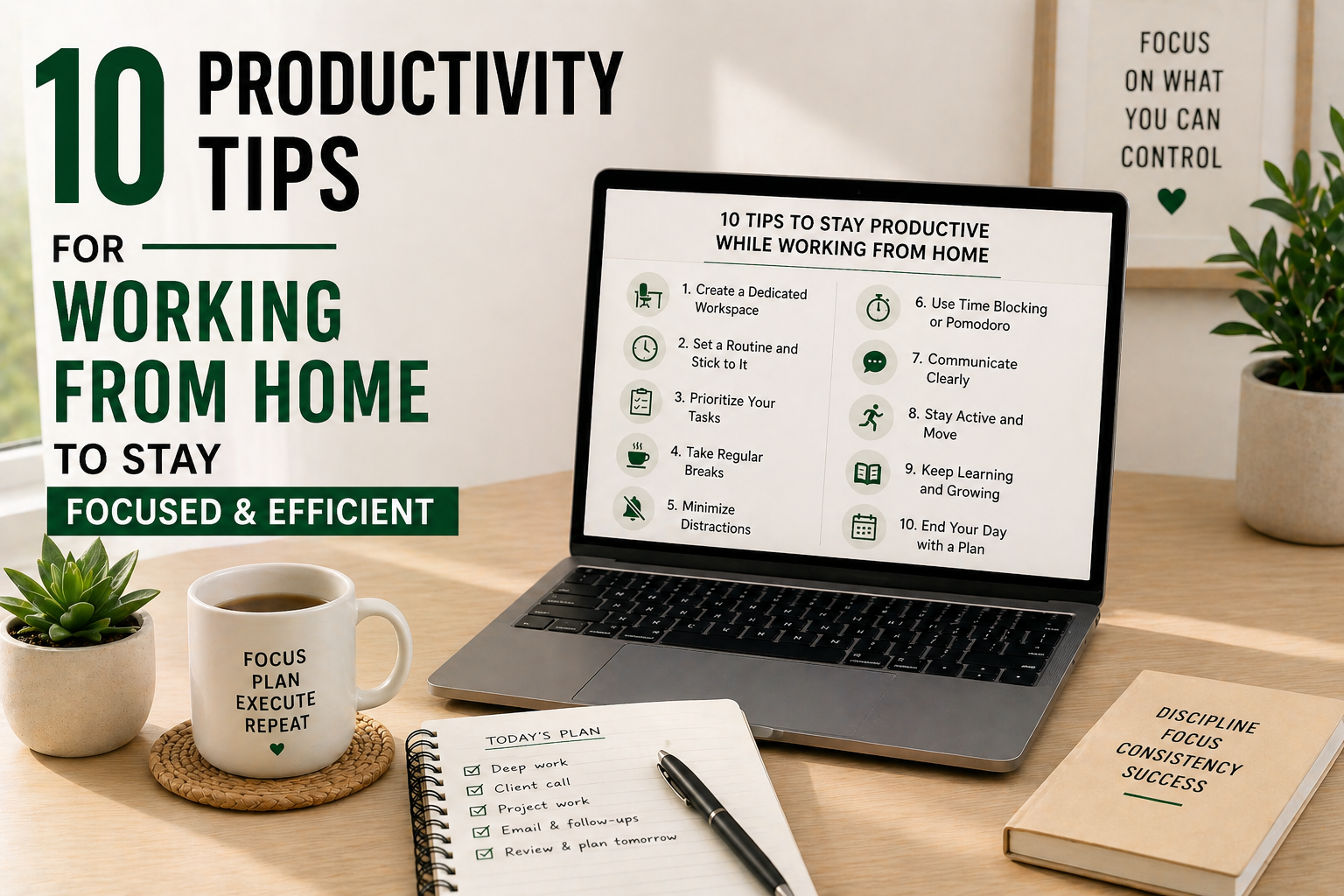
Working from home sounds like a dream—until distractions, blurred boundaries, and Zoom fatigue kick in! 🏠💻 This blog shares practical productivity tips for working from home to help you stay focused, organized, and motivated. Whether you’re a freelancer, remote employee, or running your own business, these hacks will turn your home office into a productivity powerhouse.
⭐ What to Expect
Here’s what you’ll get in this post:
- 🛋️ Home office setup tips for max productivity
- ⏰ Time management strategies that work
- 🚪 Work-life balance hacks to avoid burnout
- 📲 Top tools & apps for remote work success
1️⃣ Set Up a Dedicated Workspace 📚
Your environment matters. Choose a dedicated space (even a corner) for work only. This helps train your brain to associate that space with focus.
✅ Bonus Tip: Invest in an ergonomic chair and good lighting to keep you comfortable and alert.
2️⃣ Establish a Start & End Routine ⏰
Without a commute, it’s tempting to blur the lines between work and home life. Create clear start and end-of-day rituals—like a morning coffee & planning session and an end-of-day review.
✅ Example: Dress for work, even if you’re at home—it shifts your mindset.
3️⃣ Set Daily Priorities 📝
It’s easy to fall into “busy work” traps. Each morning, write down your top 3 priorities for the day to stay focused on what truly matters.
✅ Tools to Try: Todoist, Notion, or a simple paper notebook.
4️⃣ Follow a Structured Schedule 🗓️
Flexible hours are great—but too much flexibility kills productivity. Create a structured schedule with set blocks for deep work, meetings, and breaks.
✅ Hack: Block out time for lunch and mini-breaks to recharge.
5️⃣ Minimize Distractions 🚫
The biggest productivity killer? Home distractions (TV, chores, social media). Use apps like Freedom or StayFocusd to block time-wasting sites and communicate your work hours to family or roommates.
6️⃣ Take Regular Breaks 🧘
Breaks boost focus. Follow the Pomodoro Technique (25 mins work + 5 mins break) or schedule hourly stretch/movement breaks to keep your mind fresh.
✅ Bonus: Get some fresh air on longer breaks to reset mentally.
7️⃣ Stay Connected with Your Team 💬
Working from home can feel isolating. Make time for check-ins and casual chats to maintain team spirit and avoid miscommunication.
✅ Tip: Use Slack, Zoom, or Microsoft Teams for regular syncs.
8️⃣ Leverage Productivity Tools 📲
Make tech work for you! Some essential tools for remote work include:
- Notion/Trello: Task management
- Google Calendar: Scheduling
- RescueTime: Time tracking
- Loom: Quick video updates
✅ Keep your toolkit simple—avoid app overload.
9️⃣ Set Boundaries to Protect Your Time 🚪
It’s tempting to be “always on” when working from home. Set clear boundaries:
- Define your work hours
- Mute notifications after hours
- Politely but firmly let people know your availability
🔟 Reflect & Optimize Weekly 🔄
Spend 15–20 minutes every Friday reviewing:
- What worked
- What drained your energy
- What to tweak for next week
✅ Bonus: Celebrate small wins to stay motivated!
🔄 Quick Table: Home Office Must-Haves
| Item | Why It’s Important |
|---|---|
| Ergonomic chair | Reduces strain & supports posture |
| Adjustable desk | Flexibility for sitting & standing |
| Noise-canceling headphones | Blocks distractions & enhances focus |
| Task lighting | Prevents eye strain & improves energy |
| Plants/Decor | Boosts mood & creativity |
🚀 Make Working from Home Work for You
With these productivity tips for working from home, you’ll create a routine and workspace that keeps you focused, efficient, and balanced. 💼🏠 Start small by applying 1–2 tips today and build momentum for long-term success!
👉 Related Reading:
- Productivity Tips for Entrepreneurs
- Productivity Tips for Night Owls
- Productivity Tips for Procrastinators