
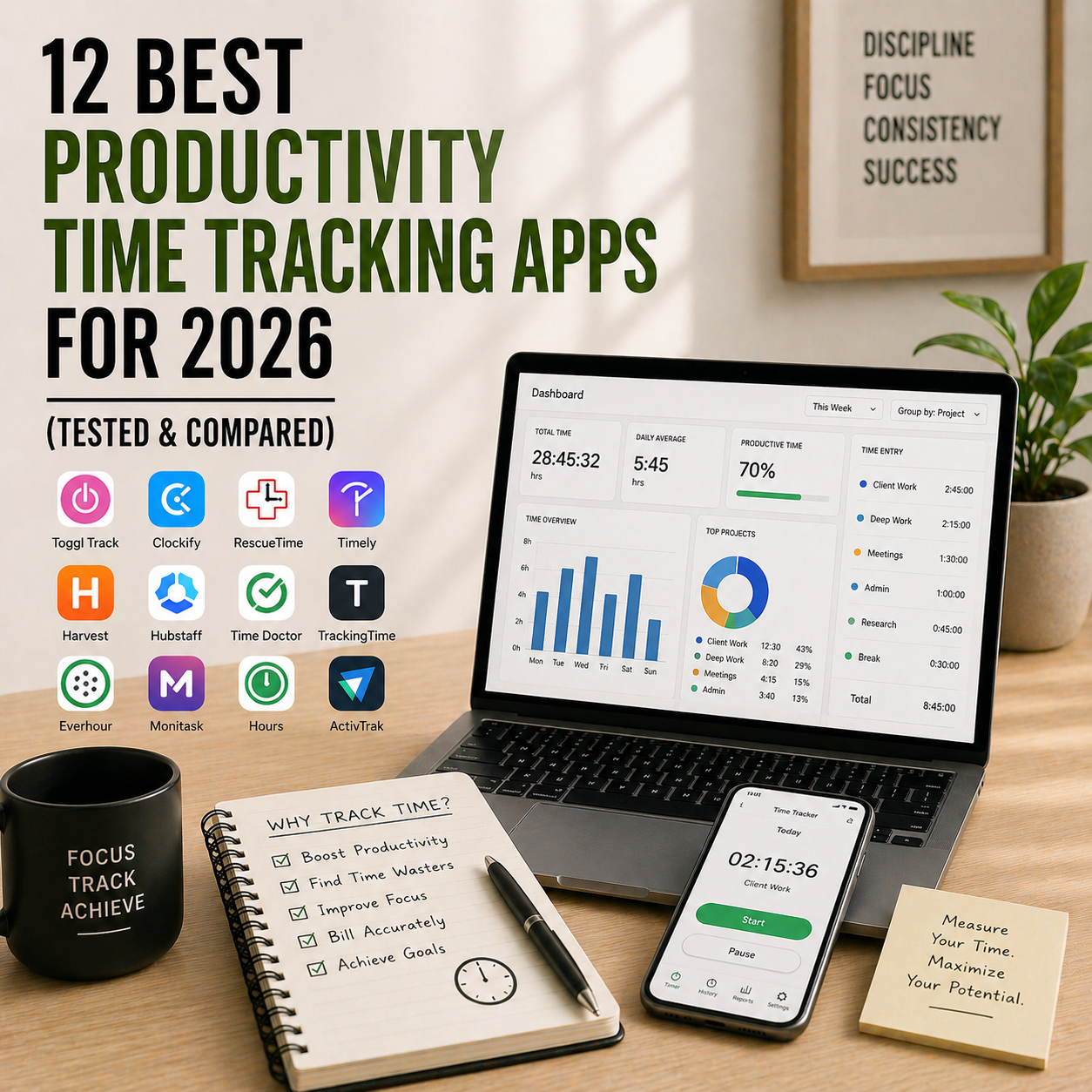
You probably think you know where your time goes. Meetings, emails, deep work, maybe some scrolling. But the moment you actually track your hours for a week, the numbers tell a different story — usually a brutal one. 40 minutes a day on Slack. 90 minutes on YouTube “research”. Two hours of real focused work in a 9-hour day. A good productivity time tracking app doesn’t change your behaviour directly. It just shows you the truth, and the truth changes behaviour on its own.
This guide compares the 12 best productivity time tracking apps of 2026 — from simple timers to automatic trackers that run silently in the background. We cover what each one actually does, how much it costs, what the free tier includes, and which type of tracker fits your work style. Whether you’re a freelancer billing clients, an employee curious where the day went, or a team lead trying to spot burnout before it happens, there’s a clear pick below.
What You’ll Learn
- The 12 best productivity time tracking apps available right now
- Pricing and what each free plan actually includes
- Manual vs automatic trackers — which suits your workflow
- Best tracker for freelancers, teams, and personal use
- A side-by-side comparison table
- How to pick the right tracker in under 5 minutes
- Answers to the most common time tracking questions
What Is a Productivity Time Tracking App?
A productivity time tracking app is software that records how you spend your working hours, so you can see patterns, bill clients, optimise workflows, or just face the truth about where your attention actually goes. There are two main types. Manual trackers (Toggl, Clockify, Harvest) require you to start and stop a timer for each task — high accuracy but depends on discipline. Automatic trackers (RescueTime, Timely, Manic Time) run silently in the background and log every app, document, and website you use — less effort but less context.
Most effective systems combine both: automatic tracking for honest data about distractions, manual tracking for billable client work. For deeper focus on top of tracking, the Pomodoro Technique pairs perfectly with any tracker on this list.
Manual vs Automatic Time Trackers — Which Should You Pick?
Before picking a specific app, decide which type of tracking fits how you actually work.
- Manual trackers — you click start and stop for each task. Best for billing clients by the hour, tracking specific project work, and knowing exactly what you did. Requires discipline. Examples: Toggl, Clockify, Harvest, Timecamp.
- Automatic trackers — run silently, log every app and website you use. Best for seeing the full picture of your day, spotting distraction patterns, and personal insight. Low effort but no context (the app doesn’t know if you were “researching” or “procrastinating”). Examples: RescueTime, Timely, ManicTime.
- Hybrid trackers — combine both. Automatic background logging plus optional manual timers. Best for professionals who bill some hours but also want the full picture. Examples: Timely, DeskTime.
How We Picked These 12 Time Tracking Apps
We evaluated 25+ apps and narrowed the list based on five criteria. First, accuracy — does the tracker actually capture what you did, or miss context? Second, privacy — is your data stored locally where possible, and can you opt out of monitoring features? Third, reporting — can you export clean reports for invoicing, analysis, or weekly reviews? Fourth, integrations — does it plug into your existing task manager, calendar, or project tool? And fifth, free plan quality — is the free tier genuinely usable, or a 7-day trial in disguise?
Quick Comparison Table — All 12 Time Tracking Apps
| App | Type | Best For | Free Plan | Paid Plan Starts |
|---|---|---|---|---|
| Toggl Track | Manual | Freelancers & billable hours | Yes (5 users) | ~$9/user/mo |
| Clockify | Manual | Teams on a tight budget | Unlimited free | ~$3.99/user/mo |
| RescueTime | Automatic | Personal focus & awareness | Limited | ~$12/mo |
| Harvest | Manual | Agencies with invoicing needs | Yes (1 user, 2 projects) | ~$12/user/mo |
| Timely | Hybrid (AI) | Professionals wanting both views | 14-day trial | ~$11/user/mo |
| Hubstaff | Hybrid + monitoring | Remote teams needing accountability | 14-day trial | ~$7/user/mo |
| TimeCamp | Hybrid | Budget-conscious teams | Yes (unlimited users) | ~$2.99/user/mo |
| DeskTime | Automatic + manual | Office productivity tracking | Yes (1 user) | ~$7/user/mo |
| ManicTime | Automatic (offline) | Privacy-focused users | Yes (desktop) | ~$67 one-time |
| ATracker | Manual (mobile) | On-the-go personal tracking | Yes (limited) | ~$2.99/mo |
| TMetric | Manual + integrations | Teams with project tools | Yes (5 users) | ~$5/user/mo |
| Forest | Focus timer | Beating phone distraction | Android free, iOS paid | ~$3.99 one-time |
Pricing is approximate USD as of publish date. Always verify current pricing on the app’s official site before purchasing — vendors change pricing often.
1. Toggl Track — Best Manual Time Tracker Overall
Type: Manual time tracker
Best for: Freelancers, agencies, and anyone billing by the hour
Free tier: Up to 5 users, unlimited time tracking, basic reports
Platforms: Web, Mac, Windows, Linux, iOS, Android, browser extensions
Toggl Track is the cleanest, fastest manual tracker on the market. One click starts a timer, one click stops it. You can tag entries by project and client, then export polished reports ready for invoicing. The Pomodoro timer is built into the mobile app. The browser extension tracks time inside other tools (Asana, Notion, GitHub, etc.) without switching apps.
For most solo users and small teams, Toggl’s free plan is generous enough that you never need to pay. Upgrade only if you need billable rates, profit tracking, or required entry reminders.
Pros: Free plan covers most solo needs. One-click timer is faster than any alternative. Built-in Pomodoro timer on mobile. Browser extensions track time inside 100+ apps. Reliable cross-device sync.
Cons: Manual tracking only — no automatic logging. Paid plans get expensive at scale. Reports are functional but not visually stunning.
Visit Toggl Track: https://toggl.com/track
2. Clockify — Best Free Time Tracker for Teams
Type: Manual time tracker
Best for: Teams that need tracking without per-seat pricing
Free tier: Unlimited users, unlimited tracking, unlimited projects
Platforms: Web, Mac, Windows, Linux, iOS, Android, browser extensions
Clockify’s pitch is direct: most of what Toggl charges for, Clockify gives away. The free plan has unlimited users, unlimited projects, and unlimited time tracking. The paid tiers add admin controls, time-off tracking, billable rates, and approval workflows — but thousands of teams never pay a rupee.
The trade-off is polish. Clockify’s interface is busier than Toggl’s, the mobile apps lag the web version, and some workflows feel clunkier. But if your team of 10, 30, or 100 people would otherwise spend hundreds of dollars a month on Toggl, the savings outweigh the friction.
Pros: Genuinely unlimited free plan. Team-friendly pricing. Solid reporting. Cross-platform. Integrations with 80+ tools including Asana, Trello, and Jira.
Cons: Interface less polished than Toggl. Mobile apps weaker than web. Some admin workflows feel dated.
Visit Clockify: https://clockify.me
3. RescueTime — Best Automatic Time Tracker
Type: Automatic time tracker
Best for: Personal awareness and focus improvement
Free tier: Limited (basic activity categories, weekly summary)
Platforms: Mac, Windows, Linux, iOS, Android, browser extensions
RescueTime runs silently in the background and automatically logs every app you open, every website you visit, and how long you spend on each. You categorise apps once (Slack = communication, Figma = focused work, Reddit = distraction) and RescueTime builds a weekly picture of where your hours actually go. The reports can be humbling. They also work.
Premium adds a focus session feature that blocks distracting sites while you work. It pairs exceptionally well with a structured morning routine — set a 90-minute focus block first thing, let RescueTime prove how much you got done.
Pros: 100% automatic — no timers to remember. Honest data on where time goes. Weekly email reports are genuinely insightful. Focus sessions block distractions. Privacy-respecting (data stored per user).
Cons: Free tier is more of a teaser than a workable plan. Can feel like judgment if you’re not ready to face the data. No project-level billing.
Visit RescueTime: https://www.rescuetime.com
4. Harvest — Best for Agencies & Invoice-Heavy Workflows
Type: Manual time tracker + invoicing
Best for: Agencies and freelancers who invoice clients regularly
Free tier: 1 user, up to 2 projects
Platforms: Web, Mac, Windows, iOS, Android
Harvest is the longest-running time tracker built specifically for client services. You track time against clients and projects, then Harvest turns those hours into professional invoices with one click. It includes expense tracking, budget alerts, and payment processing via Stripe and PayPal — so invoicing, tracking, and getting paid all live in one tool.
For agencies running multiple concurrent client projects, Harvest is the tool other trackers measure themselves against.
Pros: Best-in-class invoicing built in. Budget tracking and alerts. Expense capture. Strong integrations (Asana, Trello, Basecamp, QuickBooks). Polished interface.
Cons: Free plan very limited (1 user, 2 projects). Expensive at scale. No automatic tracking.
Visit Harvest: https://www.getharvest.com
5. Timely — Best AI Hybrid Time Tracker
Type: AI-powered automatic + manual hybrid
Best for: Professionals who want automatic tracking without losing billable accuracy
Free tier: 14-day trial only
Platforms: Web, Mac, Windows, iOS, Android
Timely combines automatic tracking with AI that suggests how to categorise and bill your time. The “Memory” feature runs silently in the background (like RescueTime), but when it’s time to log billable hours, Timely’s AI drafts time entries based on your activity — you just review and approve. It’s the most elegant solution for professionals who hate manual timers but need accurate billing.
Privacy is handled well: Memory data is private to you by default, and only the hours you choose to log become visible to your team.
Pros: AI drafts billable entries automatically. Privacy-first design for Memory data. Beautiful interface. Strong team reporting. Integrations with 20+ tools.
Cons: No free plan (trial only). Expensive compared to Toggl or Clockify. AI suggestions require a learning period before they’re accurate.
Visit Timely: https://timelyapp.com
6. Hubstaff — Best for Remote Teams Needing Accountability
Type: Time tracking + optional activity monitoring
Best for: Distributed teams with remote or contract workers
Free tier: 14-day trial only
Platforms: Web, Mac, Windows, Linux, iOS, Android, Chromebook
Hubstaff is built for remote and distributed teams where clients or managers need proof of work. It tracks time plus optional activity levels (keyboard and mouse activity, optional screenshots, app and URL tracking). Controversial in some circles, but standard for agencies managing offshore developers or BPO teams.
If your team doesn’t need monitoring features, use Toggl or Clockify instead — Hubstaff’s premium features exist specifically for teams that do.
Pros: Strong accountability for distributed teams. GPS tracking for field workers. Payroll integrations. Activity-based payment automation. Cross-platform including Chromebook.
Cons: Monitoring features feel intrusive to some workers. No free plan. Steeper setup than simpler trackers.
Visit Hubstaff: https://hubstaff.com
7. TimeCamp — Best Budget Hybrid Tracker
Type: Hybrid (automatic + manual)
Best for: Budget-conscious teams wanting both tracking types
Free tier: Unlimited users, core features
Platforms: Web, Mac, Windows, Linux, iOS, Android
TimeCamp runs in the background logging apps and websites, while also offering a manual timer for billable work. The free tier is unusually generous — unlimited users and core tracking at no cost. Paid plans add invoicing, approvals, and billable rates for under $3/user/month, making it one of the cheapest full-featured trackers available.
Pros: Free tier supports unlimited users. Hybrid automatic + manual tracking. Cheap paid plans. 90+ integrations. Attendance and leave management included.
Cons: Interface less polished than Toggl or Harvest. Mobile apps weaker than desktop. Reporting depth locked behind paid tiers.
Visit TimeCamp: https://www.timecamp.com
8. DeskTime — Best Office Productivity Tracker
Type: Automatic + manual
Best for: Office-based productivity monitoring
Free tier: 1 user, automatic tracking
Platforms: Web, Mac, Windows, iOS, Android
DeskTime tracks productivity scores based on which apps and websites count as “productive” versus “unproductive” (you set the categories). It also tracks idle time, offline breaks, and includes Pomodoro mode. Popular with companies wanting aggregate team productivity data without heavy-handed monitoring.
For balance between tracking and respect for workers, DeskTime hits a reasonable middle ground.
Pros: Productivity scoring built in. Pomodoro mode included. Decent free tier for solo use. Attendance and scheduling features. Absence calendar.
Cons: Best value only for office/team use. Some monitoring features feel intrusive. Less popular = smaller community and fewer integrations than Toggl.
Visit DeskTime: https://desktime.com
9. ManicTime — Best Privacy-Focused Offline Tracker
Type: Automatic time tracker (local data)
Best for: Users who want tracking without cloud storage
Free tier: Yes (desktop version with core features)
Platforms: Windows, Mac, Linux, Android
ManicTime is unique: it stores all your time tracking data locally on your device by default. No account required, no cloud sync, no data leaving your machine. For privacy-conscious users, security-sensitive industries, or anyone who just doesn’t want their productivity data on someone else’s server, ManicTime is the obvious choice.
Paid upgrades (one-time license, ~$67) add cloud sync if you want it, along with team features.
Pros: Data stored locally by default. One-time purchase option (rare in 2026). Offline-first design. Detailed app and document tracking. No account required.
Cons: Interface dated. Primarily desktop-focused (mobile apps weaker). Less suitable for client billing. Setup takes patience.
Visit ManicTime: https://www.manictime.com
10. ATracker — Best Mobile-First Time Tracker
Type: Manual tracker (mobile-first)
Best for: Personal tracking on the go
Free tier: Yes (limited categories)
Platforms: iOS, Android (web dashboard via paid)
ATracker is designed for people who live on their phones. Tap an icon to start tracking, tap again to stop. Widget support, Apple Watch, and home screen shortcuts make it the fastest mobile tracker available. Best for personal life tracking — gym, reading, commute, meditation — rather than detailed client work.
Combines especially well with habit building. See our post on mindfulness habits of highly productive people for the consistency principles that make any tracker actually stick.
Pros: Fastest mobile tracking experience. Apple Watch support. Widgets and shortcuts. Clean design. Works fully offline.
Cons: Personal use focused — not built for teams. Limited web experience. Smaller integration library than Toggl.
Visit ATracker: https://www.atracker.pro
11. TMetric — Best Tracker for Teams With Existing Project Tools
Type: Manual time tracker
Best for: Teams already using Jira, Asana, Trello, or ClickUp
Free tier: Up to 5 users
Platforms: Web, Mac, Windows, Linux, iOS, Android, browser extensions
TMetric’s advantage is deep integration with existing project management tools. It embeds time tracking directly into Jira tickets, Asana tasks, Trello cards, and 50+ other tools. You track time where the work already happens — no app-switching required.
For teams that have already standardised on Asana or Jira, adding TMetric is the fastest path to accurate tracking without disrupting workflows.
Pros: Deep PM tool integration (50+). Free plan up to 5 users. Budget tracking. Billable rates on paid. Cross-platform.
Cons: Less polished standalone interface. Best only if you use supported PM tools. Smaller community than Toggl.
Visit TMetric: https://tmetric.com
12. Forest — Best Focus Timer for Phone Distraction
Type: Focus timer (gamified)
Best for: Beating phone distraction during focused work
Free tier: Free on Android, ~$3.99 one-time on iOS
Platforms: iOS, Android, browser extensions
Forest isn’t a time tracker in the traditional sense — it’s a focus timer that prevents you from using your phone. You plant a virtual tree, set a timer (15-120 minutes), and if you leave the app before the timer ends, your tree dies. Over weeks you grow a virtual forest that visualises focused time. It sounds gimmicky. It genuinely works.
Pair it with any tracker above for a complete system: Forest protects your attention, Toggl or RescueTime measures where it went. For more on building focus, see our 5 time management hacks for entrepreneurs.
Pros: Genuinely reduces phone use. Cheap one-time purchase on iOS (free on Android). Partners with Trees for the Future to plant real trees. Clean, motivating interface.
Cons: Not a full-featured tracker. Mobile-only (desktop extension limited). Easy to bypass by switching phones.
Visit Forest: https://www.forestapp.cc
How to Choose the Right Time Tracking App
Use this 4-question filter to narrow your choice in under 2 minutes.
First, why are you tracking? Billing clients → Toggl, Harvest, or Clockify. Personal awareness → RescueTime. Team accountability → Hubstaff or DeskTime. Protecting focus → Forest. Hybrid billing + awareness → Timely or TimeCamp.
Second, manual, automatic, or both? Disciplined users and client billers → manual (Toggl, Clockify, Harvest). Users who forget timers → automatic (RescueTime, ManicTime). Professionals who want both → hybrid (Timely, TimeCamp).
Third, solo or team? Solo → Toggl free, RescueTime, ManicTime, ATracker, or Forest. Small team → Clockify (unlimited users free), Toggl (up to 5), TMetric (up to 5). Large team or enterprise → Harvest, Timely, Hubstaff, or DeskTime.
Fourth, privacy sensitivity? High-privacy users → ManicTime (local storage). Moderate → RescueTime (private by default). Low concern → any mainstream tool. Avoid monitoring-heavy tools (Hubstaff activity tracking) if privacy matters to you.
Most effective setups combine two tools: one automatic tracker for honest data (RescueTime) and one manual tracker for billable work (Toggl or Harvest). Don’t force yourself into one if two cover your needs better.
Frequently Asked Questions
What is the best free productivity time tracking app?
Clockify has the most generous free plan with unlimited users, unlimited projects, and unlimited tracking. Toggl Track is a strong free alternative for solo users and teams up to 5 people, with a cleaner interface. For automatic tracking, RescueTime offers a free tier with weekly summaries.
Manual vs automatic time trackers — which is better?
Manual trackers (Toggl, Clockify, Harvest) are better for billing clients and tracking specific tasks because you choose exactly what counts. Automatic trackers (RescueTime, ManicTime) are better for personal awareness because they capture everything without requiring discipline. The strongest systems use one of each.
Which time tracker is best for freelancers?
Toggl Track is the standard for freelancers — fast, clean, and generous on the free plan. Harvest is the best pick if you also need to invoice clients, as it turns tracked hours into professional invoices automatically. For freelancers wanting both manual and automatic tracking, Timely’s AI hybrid is worth the paid plan.
Is RescueTime worth it?
RescueTime is worth it if you want honest data about where your attention actually goes — it captures the full picture of your workday automatically, including distractions you’d never log manually. The free tier gives you a taste; Premium unlocks focus sessions and detailed reports for around $12/month. For personal awareness and focus improvement, few tools deliver better insight per dollar.
Can time tracking apps work offline?
Some can, most cannot reliably. ManicTime stores data locally by default and works fully offline. Toggl and Clockify have offline modes that sync when you reconnect. RescueTime and Timely require an active connection for full functionality. If offline use matters, test the specific app’s offline mode before committing.
How do I start tracking my time productively?
Start with one free app (Toggl for manual or RescueTime for automatic), track honestly for seven full days, and then review the data. Don’t try to optimise before you have data — most people are surprised by how different the numbers are from their perception. After one week of tracking, pick the top two time drains you want to reduce and focus only on those.
Will my team feel monitored if I start time tracking?
It depends entirely on which app and how you roll it out. Tools like Toggl and Clockify focus on self-logged time and feel collaborative. Tools like Hubstaff that include screenshots and keyboard activity feel invasive and can damage trust. Always communicate clearly why tracking is being introduced, who can see the data, and let team members test the tool before rollout. The best results come from tracking for insight, not surveillance.
Final Take — Which Productivity Time Tracking App Should You Pick?
If we had to name one winner per category in 2026, here’s the shortlist. Best overall manual tracker is Toggl Track. Best free team tracker is Clockify. Best automatic tracker is RescueTime. Best for agencies and invoicing is Harvest. Best AI hybrid is Timely. Best for remote team accountability is Hubstaff. Best budget hybrid is TimeCamp. Best office tracker is DeskTime. Best privacy-focused is ManicTime. Best mobile-first is ATracker. Best PM tool integration is TMetric. Best focus timer is Forest.
The best time tracking app is the one you’ll actually use for more than a week. Most people try 3-4 apps, settle on one, and then never look back. Start with a free plan that matches your work type, use it for seven days, and see what the data tells you. The honesty of numbers is where real productivity improvement begins.
Related Reading
- 12 Best Mind Mapping Tools to Organize Your Ideas
- Time Blocking for Entrepreneurs
- How to Boost Productivity with the Pomodoro Technique
- 5 Time Management Hacks for Entrepreneurs
- 10 Productivity Tips for Entrepreneurs
- How to Build a Productive Morning Routine