
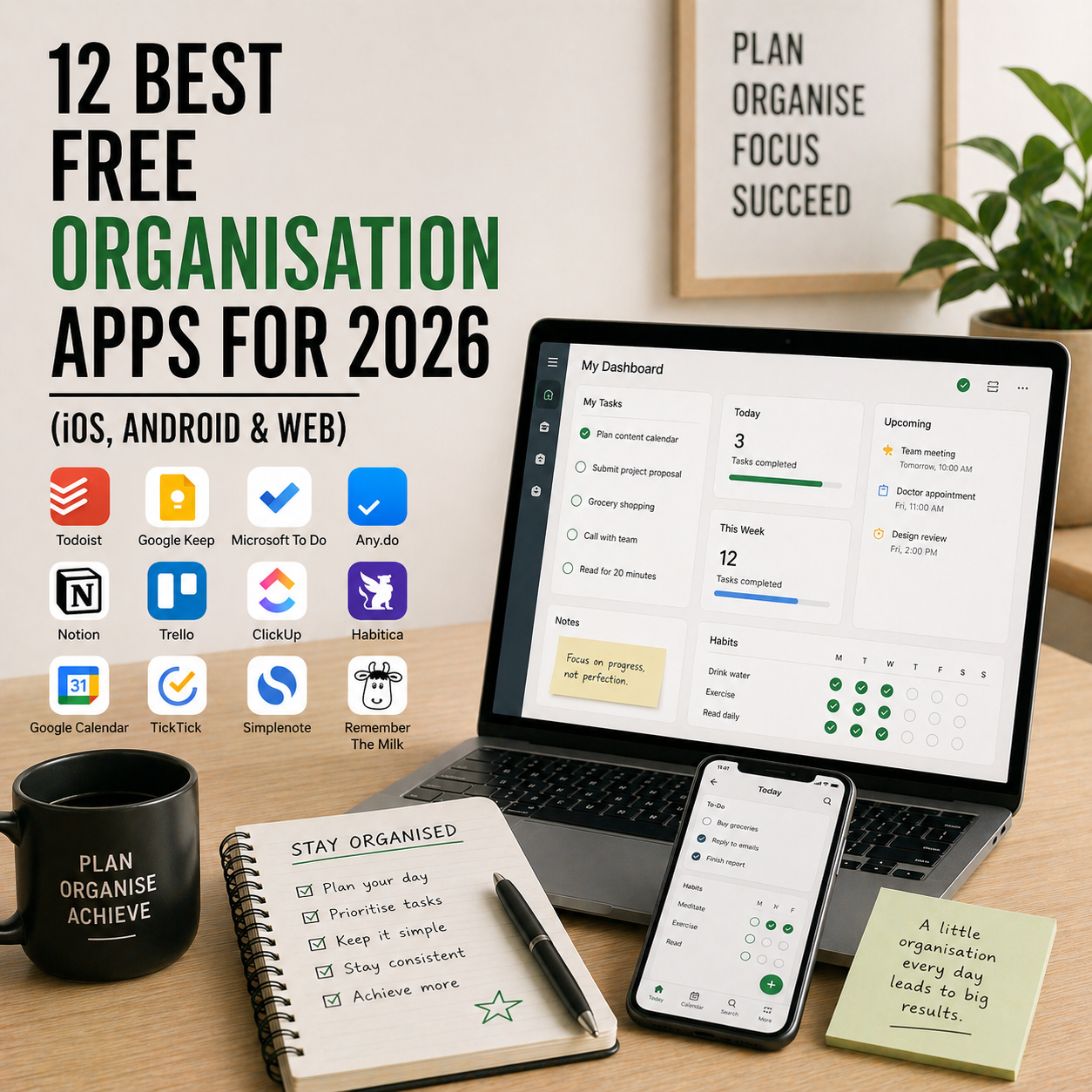
Being disorganised costs you hours every week. You forget a meeting. You rewrite the same grocery list three times. You can’t find the document you need when you need it. The good news: you don’t need to pay for a premium productivity stack to fix this. In 2026, the free tiers of the best organisation apps are genuinely powerful — strong enough to run your entire personal or small-team workflow without ever hitting a paywall.
This guide compares the 12 best free organisation apps of 2026 across iOS, Android, and web. We cover task managers, note-taking apps, calendar apps, file organisers, and all-in-one workspaces — with honest pricing, what each free tier actually includes, and which app fits your life. Whether you’re a student, a freelancer, or just tired of sticky notes, there’s a clear pick for you below.
What You’ll Learn
- The 12 best free organisation apps available right now
- What each free tier actually includes (no “free trial” traps)
- Best app for each specific use case
- A side-by-side comparison table
- How to pick the right app in under 5 minutes
- Answers to the most common organisation app questions
What Counts as an Organisation App?
An organisation app is any software that helps you keep track of tasks, time, notes, files, or commitments in one structured place instead of scattered across email, paper, and your memory. The category is broad by design — it includes simple to-do lists (Todoist, Microsoft To Do), full workspaces (Notion, Evernote), calendars (Google Calendar), note apps (Apple Notes, Bear), file organisers, and habit trackers.
The “best” organisation app isn’t the one with the most features — it’s the one whose free tier covers everything you need without forcing you into a paid plan within a month. That’s the lens we used for this list.
If you’re building a broader productivity system, pair your organisation app with a strong morning routine that makes checking the app a daily habit.
How We Picked These 12 Free Organisation Apps
We evaluated 35+ apps and narrowed the list based on five criteria. First, genuinely free — the free tier must be usable forever, not a disguised trial. Second, no crippling limits — no two-task caps, no forced upgrades after 30 days. Third, cross-platform — iOS, Android, and web where possible. Fourth, covers a real organisation need — tasks, notes, calendar, habits, or files. And fifth, reliability — apps we’d trust with data for years, not new entrants that may vanish.
Quick Comparison Table — All 12 Free Organisation Apps
| App | Type | Best For | Platforms | Paid Upgrade Starts |
|---|---|---|---|---|
| Notion | Workspace | All-in-one notes, tasks, docs | iOS, Android, Web, Mac, Windows | ~$10/user/mo |
| Todoist | Task manager | Clean, fast to-do lists | iOS, Android, Web, Mac, Windows | ~$4/mo |
| TickTick | Task + Pomodoro | Tasks with built-in focus timer | iOS, Android, Web, Mac, Windows | ~$2.79/mo |
| Microsoft To Do | Task manager | Free, clean Microsoft ecosystem users | iOS, Android, Web, Windows, Mac | Free forever |
| Google Keep | Notes + lists | Fast note capture & reminders | iOS, Android, Web | Free forever |
| Google Tasks | Task manager | Gmail and Calendar users | iOS, Android, Web | Free forever |
| Trello | Kanban boards | Visual project organisation | iOS, Android, Web, Mac, Windows | ~$5/user/mo |
| Any.do | Task + calendar | Tasks and calendar in one view | iOS, Android, Web, Mac, Windows | ~$3/mo |
| Evernote | Notes + web clipper | Research-heavy users | iOS, Android, Web, Mac, Windows | ~$14.99/mo |
| Apple Notes | Notes | Apple ecosystem users | iOS, Mac, iPad (iCloud Web) | Free forever |
| Habitica | Habit tracker | Gamifying your organisation | iOS, Android, Web | ~$4.99/mo |
| Google Calendar | Calendar | Scheduling & time blocking | iOS, Android, Web | Free forever |
Pricing is approximate USD as of publish date. Always verify current pricing on the app’s official site before upgrading — vendors change pricing often.
1. Notion — Best Free All-in-One Organisation App
Type: Workspace (notes + tasks + docs + databases)
Best for: Personal users who want one app to replace five
Free tier includes: Unlimited pages, unlimited blocks, 7-day page history, up to 10 guests
Platforms: iOS, Android, Web, Mac, Windows
Notion’s free personal plan is one of the most generous in software. You get unlimited pages, unlimited content blocks, databases, templates, and AI features — for free, forever. Most solo users never hit a reason to upgrade. The learning curve is real, but once you build your system (daily notes, task tracker, reading list, project hub), it becomes the operating system for your organised life.
If you’re juggling multiple areas of work, Notion pairs well with focused planning tools — see our guide on time blocking for entrepreneurs for ways to turn Notion tasks into real output.
Pros: Genuinely generous free plan. Replaces many separate apps. Massive template library. AI features included. Beautiful, flexible interface.
Cons: Learning curve puts off casual users. Easy to spend more time building the system than using it. Mobile apps slightly slower than web.
Download Notion: https://www.notion.so
2. Todoist — Best Free Simple Task Manager
Type: Task manager
Best for: Anyone who wants a clean, reliable to-do list
Free tier includes: Up to 5 active projects, natural language input, recurring tasks, priorities
Platforms: iOS, Android, Web, Mac, Windows, browser extensions, Apple Watch, Wear OS
Todoist’s free tier is more than enough for most people. You can type “Pay rent every 1st” and it parses the date and makes it recurring automatically. Tasks sync instantly across every device, and the clean interface keeps you focused on what to do, not how to use the app.
The 5-project limit sounds restrictive but works well in practice — it forces you to consolidate rather than create a new project for every idea.
Pros: Zero learning curve. Excellent natural language input. Reliable across all platforms. Karma points add light gamification. Apple Watch and Wear OS apps.
Cons: 5-project limit on free tier. Labels and reminders locked behind Pro. No calendar view on free plan.
Download Todoist: https://todoist.com
3. TickTick — Best Free Task Manager With Pomodoro Built In
Type: Task manager + Pomodoro timer + habit tracker
Best for: Focused work users who want tasks and timer in one place
Free tier includes: Unlimited lists, up to 9 lists per folder, Pomodoro timer (basic), habit tracking
Platforms: iOS, Android, Web, Mac, Windows, Apple Watch, Wear OS
TickTick is what Todoist would be if it bundled in a Pomodoro timer and habit tracker. You add a task, tap “focus”, and TickTick runs a timed focus session against that specific task — automatically logging how much focused time you spent on it. It’s a small feature that genuinely changes behaviour.
Perfect companion to the Pomodoro Technique — the timer is built right into your tasks, so there’s no switching apps.
Pros: Pomodoro timer built into tasks. Habit tracker included on free tier. Natural language input. Cross-platform sync. Apple Watch and Wear OS support.
Cons: Calendar view restricted on free plan. Less polished than Todoist. Smaller community and plugin ecosystem.
Download TickTick: https://ticktick.com
4. Microsoft To Do — Best 100% Free Task App
Type: Task manager
Best for: Users who want a solid free task app with no upsells
Free tier includes: Everything — no paid tier exists
Platforms: iOS, Android, Web, Windows, Mac
Microsoft To Do is completely free — there’s no premium tier, no paywall, no ads. Microsoft built it on the bones of the acquired Wunderlist app and integrated it tightly with Outlook, Microsoft 365, and Teams. For users already in the Microsoft ecosystem, it’s the obvious choice.
The feature set is modest but complete: lists, tasks, subtasks, reminders, recurring tasks, my-day view, and steps. No Kanban, no time tracking, no databases. That simplicity is the point.
Pros: 100% free forever with no ads or upsells. Tight Outlook and Microsoft 365 integration. My Day view for daily focus. Reliable cross-platform sync.
Cons: Limited features compared to Todoist or TickTick. Best only if you’re in the Microsoft ecosystem. No advanced views (Kanban, Gantt, calendar overlay).
Download Microsoft To Do: https://todo.microsoft.com
5. Google Keep — Best Free App for Fast Note Capture
Type: Notes + quick lists + reminders
Best for: Fast idea capture and light organisation
Free tier includes: Everything (fully free app)
Platforms: iOS, Android, Web (integrated with Gmail and Google Docs sidebar)
Google Keep is the best free app for one specific thing: capturing something quickly before you forget it. Voice memos transcribe automatically. Photos of whiteboards become searchable text. You can set location-based reminders (“remind me when I get to the grocery store”) that actually work. The sticky-note colour system sounds gimmicky but makes scanning your notes genuinely faster.
It’s not a task manager or a workspace. It’s a digital sticky-note system that’s better than every alternative.
Pros: Lightning-fast note capture. Voice transcription built in. Photo-to-text OCR. Location-based reminders. Tight Gmail and Google Docs integration. Completely free.
Cons: Not built for long-form notes. No folder structure (just labels). No desktop app. Weaker for formal project organisation.
Download Google Keep: https://keep.google.com
6. Google Tasks — Best Free Task App for Gmail Users
Type: Task manager
Best for: Heavy Gmail and Google Calendar users
Free tier includes: Fully free
Platforms: iOS, Android, Web (baked into Gmail and Google Calendar sidebars)
Google Tasks lives inside Gmail and Google Calendar’s sidebar, so you never need to open a separate app. Drag an email into the Tasks panel to turn it into a task. Tasks with due dates automatically appear in Google Calendar. It’s the simplest task manager that exists — deliberately minimal.
For anyone living in Gmail all day, Google Tasks eliminates the need for a separate to-do app entirely.
Pros: Built into Gmail and Google Calendar. Zero friction to use. Convert emails to tasks in one click. Fully free.
Cons: No natural language input. No priorities or labels. No collaboration. Intentionally basic.
Open Google Tasks: https://tasks.google.com
7. Trello — Best Free Kanban Board App
Type: Kanban-style project organisation
Best for: Visual thinkers and people who organise by workflow stage
Free tier includes: Up to 10 boards per workspace, unlimited cards, 1 Power-Up per board
Platforms: iOS, Android, Web, Mac, Windows
Trello’s free plan gives you 10 Kanban boards per workspace — more than enough for personal use. Make columns (To Do, Doing, Done), drag cards across them, and you have a working organisation system in 60 seconds. No setup, no learning curve, no configuration.
Great for visual thinkers who organise by stage rather than by date. Works especially well alongside the best mind mapping tools — brainstorm in a mind map, then move ideas to Trello for execution.
Pros: Fastest setup of any organisation app. Strong free plan. Visual and intuitive. Power-Ups extend functionality. Cross-platform sync.
Cons: Only one view (Kanban) on free tier. Limited reporting. No native time tracking on free plan.
Download Trello: https://trello.com
8. Any.do — Best Free App Combining Tasks and Calendar
Type: Task manager + calendar
Best for: People who want tasks and calendar in a single daily view
Free tier includes: Unlimited tasks, calendar integration, 3 active reminders
Platforms: iOS, Android, Web, Mac, Windows, Apple Watch, Wear OS
Any.do shows your tasks and your calendar side by side in a single daily view — a simple idea, but surprisingly rare. You see your 10 AM meeting and your “draft proposal” task in the same glance, making it easier to plan realistically for the day.
The “Plan My Day” feature walks you through your tasks in the morning and helps you schedule them into calendar slots — a free version of what Sunsama charges $20/month for.
Pros: Combined tasks and calendar view. Plan My Day walkthrough. WhatsApp integration. Apple Watch and Wear OS support.
Cons: Free tier caps reminders at 3 active at a time. Location reminders locked behind Premium. Less polished than Todoist.
Download Any.do: https://www.any.do
9. Evernote — Best Free App for Research-Heavy Users
Type: Notes + web clipper + organisation
Best for: Researchers, students, writers saving web content
Free tier includes: 50 notes, 1 notebook, syncs 1 device, 60 MB monthly upload
Platforms: iOS, Android, Web, Mac, Windows
Evernote’s free tier is more limited than it used to be — 50 notes and 1 notebook — but the web clipper remains one of the best in the business. Save articles, PDFs, screenshots, and handwritten notes, all searchable by text (even inside images). If your work involves research and collecting information, Evernote’s clipper alone justifies installing it.
Pros: Best-in-class web clipper. Powerful search including text inside images. Cross-platform. Long history of reliable sync.
Cons: Free tier now restrictive (50 notes, 1 notebook, 1 device). Paid tier expensive compared to Notion. Interface shows its age.
Download Evernote: https://evernote.com
10. Apple Notes — Best Free Note App for Apple Users
Type: Notes + light task lists
Best for: iPhone, iPad, and Mac users who want zero setup
Free tier includes: Fully free with any Apple ID
Platforms: iOS, Mac, iPad (iCloud.com for web access)
Apple Notes is the most underrated organisation app. It’s free, pre-installed, syncs flawlessly across Apple devices via iCloud, and in 2026 includes smart folders, tags, collaboration, scanning, drawing, and a genuinely capable note editor. For 80% of personal organisation needs, Apple Notes is all most Apple users ever need.
The dealbreaker: no Android or Windows app. If anyone in your family or team isn’t on Apple, you’ll need something cross-platform.
Pros: Pre-installed and free. Seamless iCloud sync. Document and whiteboard scanning. Drawing and handwriting support. Built-in collaboration.
Cons: Apple-only (no Android or Windows). Web access via iCloud.com is clunky. Less powerful than Notion for database-style organisation.
Use Apple Notes: Pre-installed on any iPhone, iPad, or Mac.
11. Habitica — Best Free App for Gamified Habit Tracking
Type: Habit tracker (gamified)
Best for: People who need motivation to stay consistent
Free tier includes: Core gamification, habits, dailies, to-dos, guilds
Platforms: iOS, Android, Web
Habitica turns your habits and tasks into a role-playing game. Complete habits and you gain XP, gold, and loot for your character. Miss a daily habit and your character takes damage. It sounds silly, but for people who struggle with motivation, the gamification loop genuinely works — especially for building consistency on boring habits like flossing, stretching, or journalling.
Pairs naturally with the consistency principles in our mindfulness habits of highly productive people guide.
Pros: Genuine gamification that works for motivation. Full feature set on free tier. Social features (guilds, quests with friends). Active community.
Cons: Not for people who find gamification childish. Interface dated compared to modern apps. No desktop app.
Download Habitica: https://habitica.com
12. Google Calendar — Best Free Calendar App
Type: Calendar + scheduling
Best for: Scheduling, time blocking, and appointment organisation
Free tier includes: Fully free with any Google account
Platforms: iOS, Android, Web (integrates with most other apps)
Google Calendar is the most widely used calendar app in the world for good reason — it’s free, reliable, syncs across every device, and integrates with basically every other app. For personal time blocking, meeting scheduling, and recurring appointments, there’s no meaningful free alternative.
Combined with a task app from earlier in this list, Google Calendar becomes a powerful free organisation stack: tasks live in Todoist or TickTick, time blocks live in Google Calendar.
Pros: Free forever. Integrates with everything. Reliable sync. Strong sharing and permissions. Smart features like appointment scheduling and Working hours.
Cons: Requires a Google account. Privacy concerns for some users. Interface conservative — no major visual innovation in years.
Open Google Calendar: https://calendar.google.com
How to Choose the Right Free Organisation App
Use this 4-question filter to narrow your choice in under 2 minutes.
First, what are you trying to organise? Tasks only → Todoist, TickTick, Microsoft To Do, or Google Tasks. Notes only → Google Keep, Apple Notes, or Evernote. Everything in one place → Notion. Projects visually → Trello. Habits → Habitica. Time → Google Calendar.
Second, which ecosystem do you live in? Apple users → Apple Notes plus Todoist or TickTick. Google users → Google Keep plus Google Tasks plus Google Calendar. Microsoft users → Microsoft To Do plus OneNote. Platform-agnostic → Notion plus Todoist.
Third, do you prefer simple or flexible? Simple = Microsoft To Do, Google Tasks, Apple Notes. Flexible = Notion, Trello, Habitica.
Fourth, will you ever need collaboration? Yes → Notion, Trello, Todoist (free tier supports sharing). No → pick any app based on other factors.
Most people end up with 2-3 apps: a task manager, a notes app, and a calendar. Don’t force yourself into one app if two specialised ones work better. For more on building the habit of actually using your apps daily, see our 5 time management hacks for entrepreneurs.
Frequently Asked Questions
What is the best 100% free organisation app?
Microsoft To Do is the only major organisation app with no paid tier at all — completely free forever. Google Keep, Google Tasks, Google Calendar, and Apple Notes are also 100% free. For a more powerful option with a generous free tier, Notion is hard to beat.
Are free organisation apps good enough for serious use?
Yes. The free tiers of Notion, Todoist, TickTick, Trello, and Google’s suite are powerful enough to run most personal and small-team workflows without ever hitting a paywall. You only need to upgrade if you specifically need team collaboration at scale, advanced automations, or very large file storage.
Which free organisation app is best for students?
Notion is the standout — students can organise notes, assignments, study schedules, and research in one free workspace. Todoist or TickTick handles daily task lists. Google Keep is excellent for fast note capture between classes. Most students thrive with Notion plus one lightweight task app.
What is the best free organisation app for iPhone?
Apple Notes (pre-installed and free) is best for most iPhone users. For task management, Todoist, TickTick, or Microsoft To Do all work beautifully on iOS. Google Keep is excellent for fast note capture. For an all-in-one workspace, Notion’s iOS app is one of the best free options.
What is the best free organisation app for Android?
On Android, Google’s suite (Keep, Tasks, Calendar) is pre-installed and seamlessly integrated. Todoist, TickTick, and Microsoft To Do all have excellent Android apps with full cross-device sync. Habitica has the strongest free tier for habit tracking on Android.
Can one organisation app handle everything?
Notion comes closest, combining notes, tasks, databases, and docs in one workspace. However, most people work best with a small stack of 2-3 specialised apps — for example, Todoist for tasks, Apple Notes for notes, and Google Calendar for time. Trying to do everything in one app often creates friction rather than reducing it.
What is the difference between a task app and an organisation app?
A task app (like Todoist or Microsoft To Do) focuses only on to-do lists and reminders. An organisation app is broader — it covers tasks, notes, projects, files, calendars, or habits. Notion, Evernote, and Trello are organisation apps. Todoist, TickTick, and Google Tasks are task apps. Most people benefit from combining one of each.
Final Take — Which Free Organisation App Should You Pick?
If we had to name one winner per category in 2026, here’s the shortlist. Best overall free app is Notion. Best simple task app is Todoist. Best task app with Pomodoro is TickTick. Best 100% free task app is Microsoft To Do. Best note capture is Google Keep. Best for Gmail users is Google Tasks. Best Kanban is Trello. Best tasks plus calendar is Any.do. Best web clipper is Evernote. Best for Apple users is Apple Notes. Best habit tracker is Habitica. Best calendar is Google Calendar.
The best organisation app isn’t the one with the most features — it’s the one you’ll actually open every day. Start with one app, stick with it for two weeks, and only add a second when you hit a clear gap. Most people need just two: one for tasks and one for notes. Don’t build a productivity fortress. Build the minimum system you’ll actually use.
Related Reading
- 12 Best Mind Mapping Tools to Organize Your Ideas
- Time Blocking for Entrepreneurs
- How to Build a Productive Morning Routine
- How to Boost Productivity with the Pomodoro Technique
- 5 Time Management Hacks for Entrepreneurs
- Mindfulness Habits of Highly Productive People