
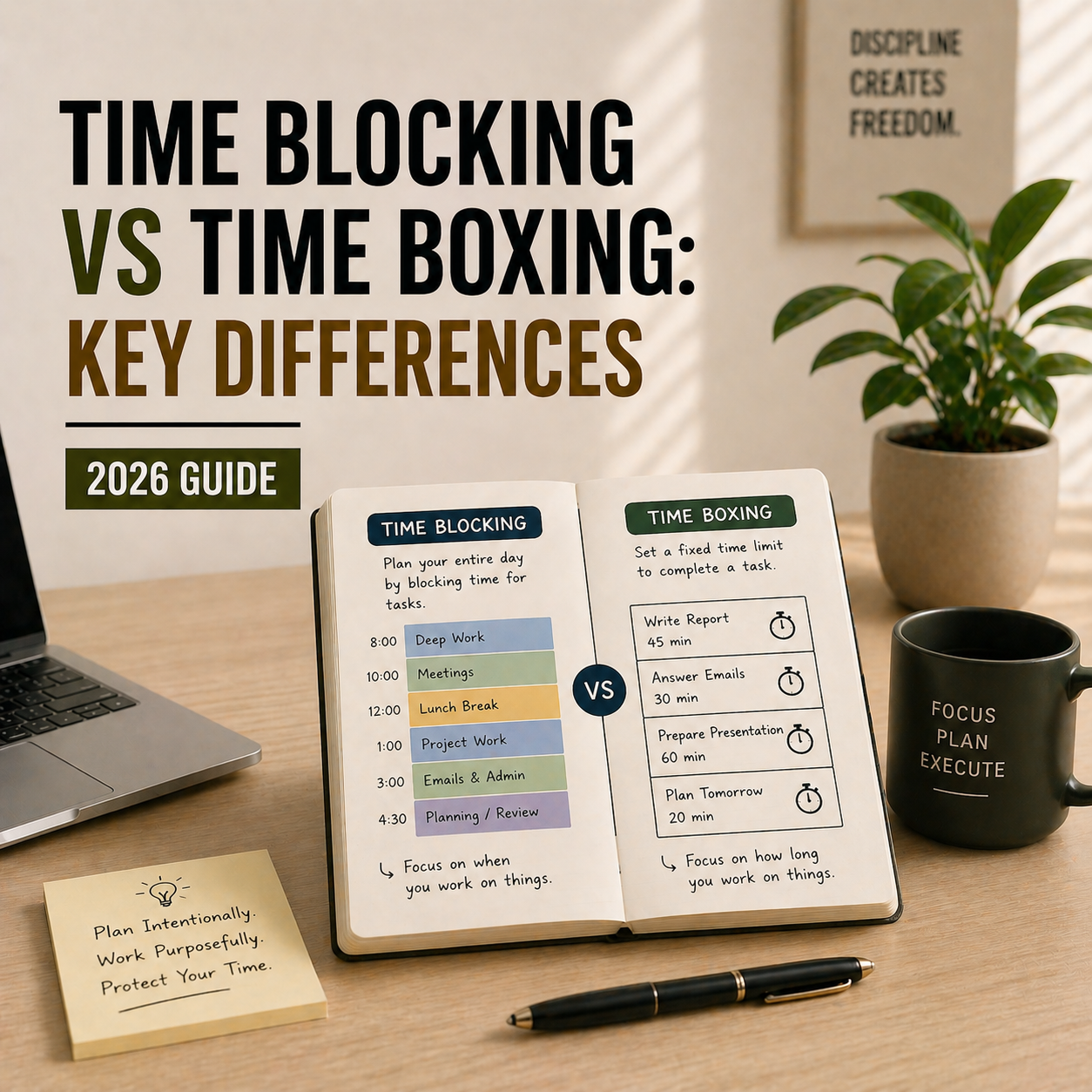
Time Blocking vs Time Boxing: Key Differences (2026 Guide)
Quick answer: Time blocking means scheduling specific tasks into specific time slots on your calendar. Time boxing means giving yourself a strict maximum time to complete a task and stopping when it’s up. Time blocking reserves time for work; time boxing limits time spent on work. Most people benefit from using both — time block to plan your day, then time box individual tasks inside each block.
They sound identical. They’re used interchangeably all over the internet. But time blocking and time boxing are genuinely different techniques that solve different problems. Confusing them is why people try one, don’t get results, and assume neither works. This guide explains the actual difference, when to use each one, and how to combine them for maximum focus in 2026.
What Is Time Blocking?
Time blocking is the practice of dividing your day into chunks (“blocks”) and assigning each block to a specific task, project, or category of work. Instead of working from a to-do list and hoping you get to everything, you decide in advance exactly when each task will happen. Your calendar becomes your to-do list.
A typical time-blocked day might look like this: 9-11 AM write article, 11-11:30 AM email, 11:30 AM-12:30 PM meeting, 1-3 PM deep work on proposal, 3-4 PM admin tasks, 4-5 PM review and plan tomorrow. Every minute has a purpose.
The power of time blocking is that it forces you to confront how much time things actually take, and it eliminates the “what should I do next?” decision fatigue that eats into focused work. For the full walkthrough of how to start, see our guide on time blocking for entrepreneurs.
What Is Time Boxing?
Time boxing is the practice of assigning a fixed maximum duration to a task, then stopping when the time is up — whether the task is complete or not. You’re not scheduling when to do something. You’re constraining how long you spend on it. The “box” is the boundary.
A typical time-boxed task might look like this: “I will spend 45 minutes on this proposal, then stop.” When the timer hits 45 minutes, you stop — even if the proposal isn’t done. You might revisit it in another time box later, but you don’t allow it to swallow three hours of your day.
Time boxing fights Parkinson’s Law — the observation that work expands to fill the time available. If you give yourself four hours to write a report, it takes four hours. If you give yourself 90 minutes, it often takes 90 minutes. The constraint forces efficiency.
Time Blocking vs Time Boxing: The 5 Key Differences
| Aspect | Time Blocking | Time Boxing |
|---|---|---|
| Primary purpose | Reserve time for work | Limit time spent on work |
| Main question answered | When will I do this task? | How long will I spend on this task? |
| Where it lives | On your calendar | On your timer or task list |
| Task completion | Expected to finish within block | Stops when timer ends, finished or not |
| Best for | Planning a full day | Preventing a single task from running long |
The cleanest way to remember it: time blocking is about scheduling, time boxing is about constraining. You schedule a block. You constrain with a box. Both techniques protect your time, but they protect it in opposite directions.
When to Use Time Blocking
Use time blocking when your problem is not knowing where your day goes, or when you consistently end the day with important work undone. It works best for people with multiple competing priorities who feel reactive rather than intentional — the “I was busy all day but didn’t get anything real done” crowd.
Time blocking is especially effective for knowledge workers, entrepreneurs juggling multiple projects, students balancing classes and study time, and anyone whose calendar is already full of meetings. If your deep work keeps getting pushed aside by urgent-but-unimportant tasks, time blocking forces it onto the calendar where it can’t be easily overwritten.
It pairs especially well with a strong morning routine — plan tomorrow’s blocks the night before or first thing in the morning, and the whole day runs on rails.
When to Use Time Boxing
Use time boxing when your problem is individual tasks swallowing your entire day. If you sit down to answer a few emails and three hours later you’re still in your inbox, time boxing is the fix. If you rewrite one email for 40 minutes when it should have taken 5, time boxing is the fix.
Time boxing is especially effective for perfectionists, overthinkers, people with ADHD who hyperfocus on the wrong task, and anyone whose weekly review includes “I spent way too long on X.” It’s also the mechanism behind the Pomodoro Technique — each Pomodoro is a 25-minute time box on a specific task. For a deeper walkthrough, see our guide on how to boost productivity with the Pomodoro Technique.
Which Is Better for Deep Work?
Time blocking is better for deep work because deep work needs protected, uninterrupted time — and time blocks create that protection. You reserve 2-3 hours on your calendar for deep work, and you commit to only working on that task during that window. No email, no Slack, no reactive tasks.
Time boxing can support deep work inside a block (for example, “I’ll spend 90 minutes on this chapter”), but time boxing alone doesn’t carve out the uninterrupted time in the first place. For deep work specifically, time blocking is the foundation; time boxing is an optional layer on top.
Which Is Better for ADHD?
For ADHD brains, time boxing often works better than pure time blocking because ADHD brains struggle with the rigidity of pre-scheduled full days. A detailed time-blocked schedule can feel overwhelming, and the first missed block can cascade into giving up on the whole system.
Time boxing offers smaller wins: “I’ll spend 25 minutes on this, then decide what’s next.” It matches ADHD energy patterns better — short bursts, visible progress, flexible direction. That said, many ADHD-friendly systems combine both: loose time blocks for the shape of the day (morning deep work, afternoon admin) with time boxes inside for individual tasks.
How to Combine Time Blocking and Time Boxing
The most effective system for most people uses both techniques layered together.
Start by time blocking your day — reserve specific calendar chunks for specific types of work. For example, 9-11 AM for deep work on your main project, 11-12 for email, 1-3 PM for meetings, 3-4 PM for admin tasks.
Then, inside each block, use time boxing to prevent individual tasks from sprawling. In your 9-11 AM deep work block, set a 45-minute box on the first section of the project. When the timer ends, either continue if you’re flowing, or move to the next section.
The time block protects the boundary of focused time. The time box protects the efficiency inside it. Together they fight both the “I didn’t have time” excuse and the “this took way longer than it should have” reality.
For the apps that make this combination easy, see our guides on the best calendar apps for time blocking and the best free Pomodoro timer apps for time boxing individual tasks.
Real-World Examples
Example 1: The Entrepreneur
Priya runs a small marketing agency. She time blocks her calendar into: 8-10 AM strategic work, 10-12 client meetings, 1-3 PM team management, 3-4 PM email, 4-5 PM planning tomorrow. Inside her 8-10 AM strategic block, she time boxes each strategic task: 40 minutes on Q3 planning, 30 minutes on the new service offering, 20 minutes on her weekly report. The blocks protect her strategic thinking time. The boxes prevent any single strategic task from eating the whole block.
Example 2: The Student
Rohan is studying for final exams. He time blocks his day into: 9-12 study Subject A, 1-4 study Subject B, 4-5 review notes from both, 7-9 PM practice problems. Inside each study block, he uses Pomodoro time boxes: 25 minutes studying, 5 minutes break, four cycles, then a longer break. The blocks ensure each subject gets equal time. The boxes prevent him from getting stuck on one difficult concept for two hours.
Example 3: The Freelancer
Sarah is a freelance designer juggling four clients. She time blocks her week — Mondays are Client A, Tuesdays are Client B, Wednesdays are Client C, Thursdays are Client D, Fridays are admin and new business. Inside each client day, she time boxes specific deliverables: 2 hours on wireframes, 90 minutes on moodboard revisions, 45 minutes on client feedback incorporation. The blocks prevent clients from bleeding into each other. The boxes ensure she bills accurately for each deliverable.
Common Mistakes With Both Techniques
The biggest mistake with time blocking is over-scheduling. If you block every minute of your day, the first unexpected thing blows up the whole plan and you abandon the system. Leave 15-25% of your day unscheduled for real life.
The biggest mistake with time boxing is treating the box as a finish line rather than a checkpoint. If you hit the end of a 45-minute box and you’re 80% done, you don’t have to stop — you have to decide. Continue intentionally for another 15 minutes, or switch tasks and return later. Time boxing creates awareness, not rigid rules.
A secondary mistake is using the wrong technique for the problem. If your days feel unstructured, time boxing won’t help — you need time blocking. If your individual tasks sprawl, time blocking won’t help — you need time boxing. Diagnose first, then apply.
Frequently Asked Questions
What is the main difference between time blocking and time boxing?
Time blocking reserves specific time slots on your calendar for specific tasks — it answers “when will I do this?” Time boxing sets a strict maximum duration for a task and stops the timer when it ends — it answers “how long will I spend on this?” Blocking protects time for work; boxing limits time spent on work.
Can you use time blocking and time boxing together?
Yes — this is the most effective approach for most people. Use time blocking to schedule the shape of your day (9-11 AM deep work, 1-3 PM meetings, etc.), then use time boxing inside each block to limit individual tasks from sprawling. The block protects the boundary; the box protects the efficiency inside it.
Is time boxing the same as the Pomodoro Technique?
The Pomodoro Technique is a specific form of time boxing. Each 25-minute Pomodoro session is a fixed-duration box on a task, followed by a 5-minute break. Pomodoro adds the break structure and the cycle pattern, but the core mechanic — constraining work time with a timer — is time boxing.
Which is better for ADHD — time blocking or time boxing?
Time boxing usually works better for ADHD brains because it offers short, flexible focus sessions with visible endings. A fully pre-scheduled time-blocked day can feel rigid and overwhelming. Many ADHD-friendly systems use loose time blocks for the day’s shape combined with shorter time boxes (15-30 minutes) for individual tasks.
Which is better for deep work — time blocking or time boxing?
Time blocking is better for deep work because deep work requires protected, uninterrupted time — exactly what time blocks create. You reserve 2-3 hours on your calendar for one task, and protect that window from meetings, email, and reactive work. Time boxing can support deep work inside a block but doesn’t create the protected time in the first place.
Do you have to follow time blocks perfectly?
No — and trying to will make you abandon the system. Leave 15-25% of your day unscheduled for real life, interruptions, and overruns. If you miss a block, just reset at the next one rather than trying to catch up or giving up entirely. The goal is direction, not perfection.
How do I start with time blocking or time boxing?
Start with time blocking if your days feel chaotic or reactive. Block 2-3 of the most important tasks into your calendar for tomorrow — don’t try to schedule everything. Start with time boxing if individual tasks consistently take longer than they should. Set a 45-minute timer on your next task and stop when it ends. Both techniques become habits within 2-3 weeks of consistent practice.
Final Take — Which Should You Use?
If you’re picking just one: start with time blocking. It has the bigger impact on most people’s productivity because it forces you to plan intentional work into your day, not just react to what arrives. Once time blocking is a habit (typically 2-3 weeks in), layer time boxing on top for tasks that tend to sprawl.
Both techniques work. Both have decades of evidence behind them. The right question isn’t “which is better?” — it’s “which problem am I trying to solve?” Scheduling problems need time blocking. Efficiency problems need time boxing. Most people eventually use both, because most people have both problems. Start with the one that matches your current frustration, and the rest follows.
Related Reading
- Time Blocking for Entrepreneurs
- How to Boost Productivity with the Pomodoro Technique
- 12 Best Calendar Apps for Time Blocking
- 12 Best Free Pomodoro Timer Apps
- 5 Time Management Hacks for Entrepreneurs
- How to Build a Productive Morning Routine