
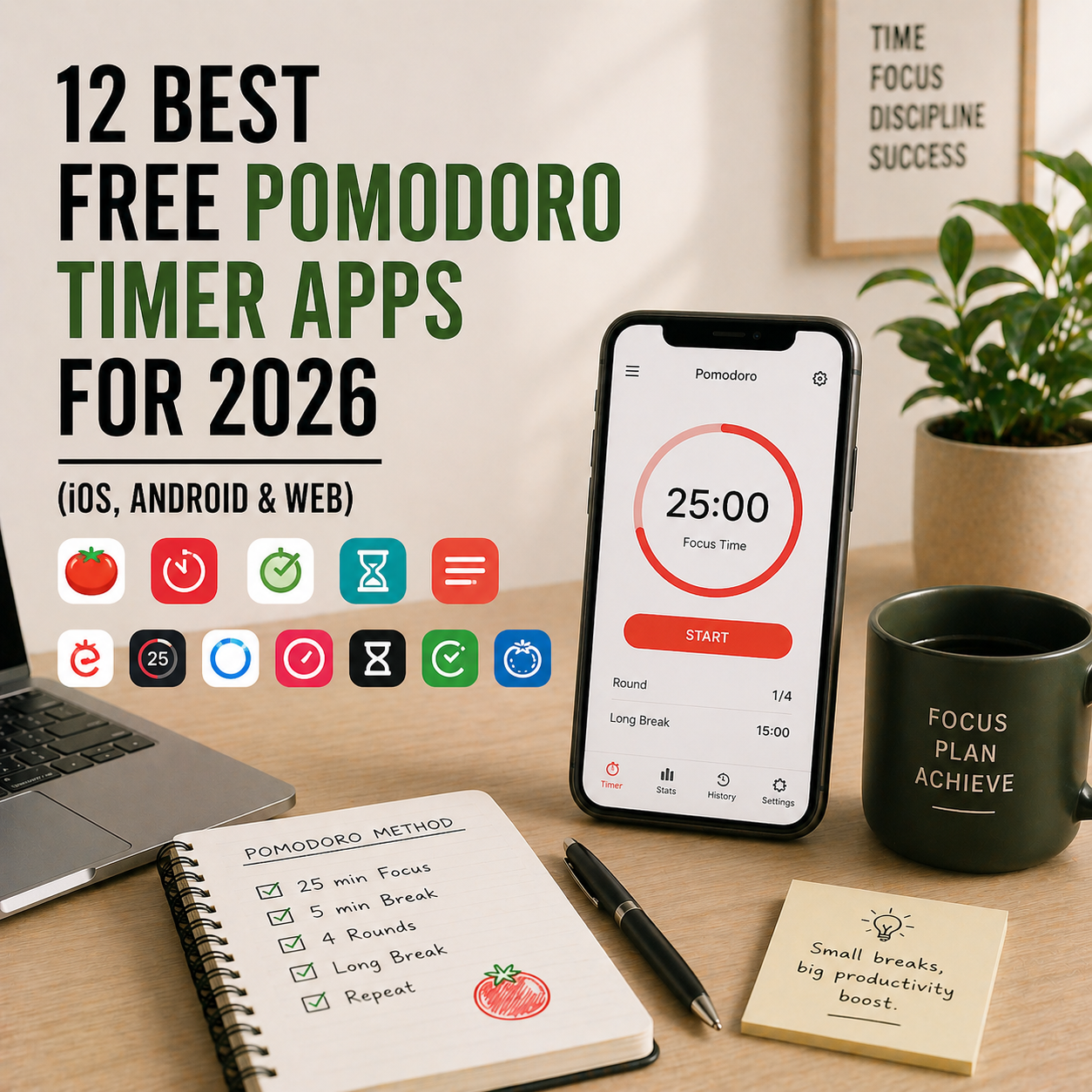
The Pomodoro Technique is simple: work for 25 minutes, break for 5, repeat. What’s complicated is finding the right app to run it. Some Pomodoro apps are bloated with features you’ll never use. Others hide core functionality behind paywalls. And some are genuinely brilliant — free forever, beautifully designed, and built to protect your focus without becoming another distraction themselves.
This guide compares the 12 best free Pomodoro timer apps of 2026 across iOS, Android, and web. We cover what each one actually does for free, where they hide paywalls, which ones sync across devices, and which one fits your focus style. Whether you’re a student studying for exams, a remote worker fighting distractions, or an ADHD brain trying to build focus stamina, there’s a clear pick for you below.
If you’re new to the technique itself, start with our guide on how to boost productivity with the Pomodoro Technique first, then come back here to pick the app that runs your sessions.
What You’ll Learn
- The 12 best free Pomodoro timer apps available right now
- What each free tier actually includes (without hidden paywalls)
- Which Pomodoro app works best on iOS, Android, Mac, and Windows
- A side-by-side comparison table
- How to pick the right Pomodoro app in under 5 minutes
- Answers to the most common Pomodoro app questions
What Is a Pomodoro Timer App?
A Pomodoro timer app is software that runs the Pomodoro Technique for you — automatically timing 25-minute focus sessions followed by 5-minute breaks, with a longer 15-30 minute break after every four cycles. Unlike a regular kitchen timer, Pomodoro apps track your completed sessions over days and weeks, log focused time against specific tasks, and often include features like distraction blocking, stats, and integrations with task managers.
The best Pomodoro apps disappear into your workflow. You tap start, focus on the work, hear a chime 25 minutes later, and keep going. The worst ones demand so much setup you end up procrastinating through the app itself.
The 4 Types of Pomodoro Apps
Not all Pomodoro apps work the same way. Before picking one, know which style fits your brain.
- Simple timers — just run Pomodoro cycles with notifications, nothing more (Focus Keeper, Be Focused, Pomotodo). Best for minimalists.
- Timer + task manager — combine Pomodoro timing with to-do lists, so you track time against specific tasks (TickTick, Flow, PomoDone).
- Gamified focus apps — turn focus sessions into a game (Forest, Bear Focus Timer). Best for motivation-dependent users.
- Distraction blockers with Pomodoro — run timers AND block distracting apps/sites during sessions (Focus, Cold Turkey, Session).
How We Picked These 12 Pomodoro Apps
We evaluated 30+ apps and narrowed the list based on five criteria. First, genuinely free — the free tier must be usable forever, not a 7-day trial. Second, reliability — the timer must not stop when your screen locks or you switch apps. Third, cross-platform — works where you work (phone, laptop, browser). Fourth, focus not friction — the app supports focus instead of becoming another distraction. And fifth, trustworthy developer — apps that will still exist in two years, not abandoned side projects.
Quick Comparison Table — All 12 Free Pomodoro Apps
| App | Type | Best For | Platforms | Paid Upgrade |
|---|---|---|---|---|
| Forest | Gamified | Phone distraction | iOS, Android, Web Ext | ~$3.99 iOS one-time |
| Focus Keeper | Simple timer | Minimalist iOS users | iOS | ~$1.99 one-time |
| Be Focused | Simple timer | Apple ecosystem | iOS, Mac | ~$1.99 one-time |
| TickTick | Timer + tasks | Tasks with built-in Pomodoro | iOS, Android, Web, Mac, Windows | ~$2.79/mo |
| Pomotodo | Timer + tasks | Cross-platform simplicity | iOS, Android, Web, Mac, Windows | ~$2.80/mo |
| Flow | Simple timer | Mac users wanting clean design | Mac, iOS | ~$2.99/mo or $24.99/yr |
| PomoDone | Timer + integrations | Teams using Trello, Asana, Todoist | Web, Mac, Windows, iOS, Android | ~$2.25/mo |
| Pomofocus | Web-based timer | Browser-only users | Web | Free forever (donation) |
| Tomato Timer | Web-based timer | Quickest web option | Web | Free forever |
| Focus To-Do | Timer + tasks | All-in-one on free tier | iOS, Android, Web, Mac, Windows | ~$1.99/mo |
| Session | Timer + blocker | Deep work protection | Mac, iOS | ~$4.99/mo |
| Bear Focus Timer | Gamified | Alternative to Forest | iOS | ~$2.99 one-time |
Pricing is approximate USD as of publish date. Always verify current pricing on the app’s official site before upgrading — vendors change pricing often.
1. Forest — Best Gamified Pomodoro App for Phone Distraction
Type: Gamified focus timer
Best for: Anyone who can’t stop reaching for their phone
Free tier: Free on Android; ~$3.99 one-time on iOS
Platforms: iOS, Android, browser extensions (Chrome, Firefox)
Forest turns focus into a game. You plant a virtual tree, set a timer (15-120 minutes), and if you leave the app before the timer ends, your tree dies. Over weeks, you grow a virtual forest that visualises every focused session. It sounds gimmicky. Millions of users will tell you it genuinely works, especially for phone-addicted brains.
The developers also partner with Trees for the Future, planting real trees when users spend in-app coins. The only catch: Forest is free on Android but a one-time ~$3.99 purchase on iOS.
Pros: Genuinely reduces phone use. Free on Android. Plants real trees. Clean, motivating interface. Works offline. Browser extensions extend to desktop.
Cons: Not free on iOS (one-time purchase). Mobile-focused (desktop via browser extension only). Easy to defeat by switching to another device.
Download Forest: https://www.forestapp.cc
2. Focus Keeper — Best Simple Pomodoro App for iOS
Type: Simple timer
Best for: iOS users who want a clean Pomodoro timer, nothing more
Free tier: Full core Pomodoro functionality
Platforms: iOS
Focus Keeper does one thing beautifully: it runs Pomodoro cycles with a satisfying ticking sound and a clear analogue timer face. No tasks, no integrations, no subscriptions fighting for your attention. You tap start, focus, hear the chime, and take a break. It’s the minimalist Pomodoro app for users who don’t want an app — they just want a timer.
Pros: Genuinely free with core Pomodoro. Beautiful analogue timer interface. Satisfying ticking sound. Session stats track your daily progress. Zero bloat.
Cons: iOS only. No cross-device sync. No task integration. Premium upgrade unlocks themes and deeper stats but not essential.
Download Focus Keeper: Available in the Apple App Store
3. Be Focused — Best Pomodoro App for Mac + iOS
Type: Simple timer + basic tasks
Best for: Apple users who want timer + tasks on Mac and iOS
Free tier: Core Pomodoro with limited task list
Platforms: iOS, Mac
Be Focused combines a minimal Pomodoro timer with a lightweight task list, and crucially syncs across iPhone and Mac. You assign time to a specific task, run your Pomodoro cycles against it, and see total focused minutes on each task at the end of the day. For Apple-only users, it’s the closest thing to a free Pomodoro-plus-task app that just works.
Pros: Free core functionality. Syncs iPhone and Mac. Light task management built in. Clean, Apple-native interface.
Cons: Apple-only (no Android, Windows, web). Pro upgrade unlocks goals and long-term stats. Smaller community than TickTick or Forest.
Download Be Focused: Available in the Mac App Store and Apple App Store
4. TickTick — Best Task Manager With Pomodoro Built In
Type: Task manager + Pomodoro timer
Best for: People who want tasks and focus sessions in one app
Free tier: Full task management plus basic Pomodoro timer
Platforms: iOS, Android, Web, Mac, Windows, Apple Watch, Wear OS
TickTick is primarily a task manager (see our best free organisation apps post for more on its task features), but it includes a built-in Pomodoro timer that runs inside each task. You add a task, tap “focus”, and TickTick times a Pomodoro session against that specific task — automatically logging focused minutes per task over time.
For users who bounce between tasks and timers in separate apps, TickTick removes the friction entirely. It’s the single best “two apps in one” Pomodoro option.
Pros: Pomodoro timer built into tasks. Free plan covers both task management and focus timing. Habit tracker included. Cross-platform sync. Apple Watch and Wear OS.
Cons: Advanced Pomodoro stats locked behind Premium. Timer features less customisable than dedicated Pomodoro apps. Can feel busy if you only want a timer.
Download TickTick: https://ticktick.com
5. Pomotodo — Best Cross-Platform Pomodoro + Task App
Type: Timer + task manager
Best for: Cross-platform users wanting Pomodoro plus to-dos
Free tier: Core Pomodoro with task integration
Platforms: iOS, Android, Web, Mac, Windows, Chrome extension
Pomotodo is built around the idea that you should always be running a Pomodoro against a specific task. The interface shows your task list on one side and the timer on the other. When you start a session, you pick a task. Over weeks, you see how much focused time each task required — brutal data for anyone overestimating their own efficiency.
The free tier covers everything most users need; Premium adds calendar view and advanced stats.
Pros: Genuine cross-platform (iOS, Android, Web, Mac, Windows, Chrome). Task-first design. Strong stats on time per task. Clean, minimal interface.
Cons: Smaller community than TickTick. Development pace slower in recent years. Sync occasionally inconsistent.
Download Pomotodo: https://pomotodo.com
6. Flow — Best Pomodoro App for Mac Design Lovers
Type: Simple timer
Best for: Mac users who want a beautifully designed timer
Free tier: Core Pomodoro functionality
Platforms: Mac, iOS
Flow is one of the most beautiful Pomodoro apps ever made, and that matters more than you’d think — a timer you actually enjoy looking at is one you’ll use. It lives in your Mac menu bar, runs fullscreen sessions when you want total focus, and syncs with iOS for on-the-go tracking. The free tier covers core Pomodoro without pestering you to upgrade.
Pairs beautifully with a structured morning routine — start your day with a Flow session on your biggest task and the rest of the day follows.
Pros: Stunning design. Menu bar timer on Mac. Fullscreen mode for deep focus. iOS sync. Free tier genuinely usable.
Cons: Mac and iOS only. No Android or Windows. Advanced stats and themes require Pro subscription.
Download Flow: https://flowapp.info
7. PomoDone — Best for Teams Using Trello, Asana, or Todoist
Type: Timer + deep integrations
Best for: Teams already using a project management tool
Free tier: Basic Pomodoro with limited integrations
Platforms: Web, Mac, Windows, iOS, Android
PomoDone sits on top of your existing task or project manager. Connect it to Trello, Asana, Todoist, ClickUp, Notion, Basecamp, or any of 15+ supported tools, and PomoDone pulls your tasks in and lets you run Pomodoro sessions against them directly. No need to duplicate tasks between apps.
For teams who already standardised on a PM tool but want Pomodoro layered on top, this is the cleanest path.
Pros: Deep integrations with 15+ PM tools. Cross-platform. Team-friendly stats. No duplicate task entry. Web, desktop, and mobile apps.
Cons: Free tier limits active integrations. Best value only if you already use supported PM tools. Premium required for multiple integration types.
Download PomoDone: https://pomodoneapp.com
8. Pomofocus — Best Free Web-Based Pomodoro Timer
Type: Simple web timer
Best for: Browser-only users who don’t want another app
Free tier: Full functionality, donation-supported
Platforms: Web (any browser)
Pomofocus is a Pomodoro timer that lives in a browser tab. No download, no account, no cost. Customise your focus and break durations, add a task list, and run sessions with audible alerts. The developer accepts donations but imposes no paywalls on core functionality.
Perfect for laptop users who don’t want yet another desktop app, or for occasional Pomodoro users who don’t need cross-device sync.
Pros: Completely free forever. No account needed. Works in any browser. Clean, fast interface. Dark mode built in. Customisable session lengths.
Cons: Web-only (no mobile app). No cross-device sync. Stats don’t persist across browsers. Requires tab stay open.
Open Pomofocus: https://pomofocus.io
9. Tomato Timer — Fastest Web Pomodoro Timer
Type: Minimal web timer
Best for: Occasional Pomodoro users who want zero setup
Free tier: Fully free
Platforms: Web
Tomato Timer is the fastest way to start a Pomodoro session in 2026. Open the website, click start, done. No signup, no settings, no ads. It’s the bare minimum Pomodoro tool for someone who just wants to try the technique without committing to a full app ecosystem.
Pros: Fastest possible setup. No signup. Zero ads. Customisable session lengths. Works on any browser.
Cons: No stats. No task list. No cross-device sync. Easy to forget since there’s no app.
Open Tomato Timer: https://tomato-timer.com
10. Focus To-Do — Best All-in-One Pomodoro App on Free Tier
Type: Timer + tasks + stats
Best for: Users wanting Pomodoro + tasks + stats all free
Free tier: Genuinely includes tasks, timer, basic stats
Platforms: iOS, Android, Web, Mac, Windows
Focus To-Do bundles a lot into its free tier — task management, Pomodoro timer, project organisation, and basic statistics. Where TickTick locks some Pomodoro features behind Premium, Focus To-Do includes most core functionality at no cost. For users who don’t want to pay but need more than a bare timer, this is the strongest free all-in-one.
Pros: Generous free tier (timer + tasks + stats). Cross-platform. White noise and focus sounds included. Daily/weekly/monthly reports. Cloud sync.
Cons: Interface less polished than TickTick or Flow. Some premium features (Goals, badges) behind paywall. Smaller community.
Download Focus To-Do: https://focustodo.cn/en.html
11. Session — Best Pomodoro App With Built-In Distraction Blocking
Type: Timer + distraction blocker
Best for: Mac users doing deep work who need app/site blocking
Free tier: Limited sessions, core Pomodoro
Platforms: Mac, iOS
Session combines a Pomodoro timer with native app and website blocking — so when your focus session starts, Session automatically blocks Twitter, Instagram, YouTube, or whatever you’ve flagged as distraction. It syncs with Apple Health to track focused minutes as “mindful minutes” and includes a polished menu bar interface on Mac.
Works especially well for the mindfulness-focused work habits that make Pomodoro actually stick.
Pros: Built-in distraction blocking. Beautiful Mac interface. Apple Health integration. Session intention prompts. Calm design.
Cons: Mac and iOS only. Free tier limits daily sessions. Pro subscription for unlimited use.
Download Session: https://www.stayinsession.com
12. Bear Focus Timer — Best Forest Alternative for iOS
Type: Gamified focus timer
Best for: iOS users who want a cuter alternative to Forest
Free tier: Limited (one-time purchase unlocks full)
Platforms: iOS
Bear Focus Timer is Forest for people who prefer bears to trees. The premise is identical — start a timer, stay off your phone, watch a cute character evolve over time. The one-time purchase unlocks the full experience with no ads or upsells, making it a gentler long-term cost than Forest on iOS.
Pros: One-time purchase. Charming, gentle interface. Sleep mode alongside focus mode. Apple Watch support. Great for students and younger users.
Cons: iOS only. Smaller community than Forest. Less developed stats and reporting.
Download Bear Focus Timer: Available in the Apple App Store
How to Choose the Right Free Pomodoro App
Use this 4-question filter to narrow your choice in under 2 minutes.
First, what do you need beyond a timer? Just a timer → Focus Keeper, Flow, Pomofocus, Tomato Timer. Timer + tasks → TickTick, Pomotodo, Focus To-Do. Timer + phone distraction control → Forest or Bear Focus Timer. Timer + full distraction blocking → Session.
Second, which platform do you use most? iOS only → Focus Keeper, Be Focused, Bear Focus Timer, Flow. Android only → Forest (free), TickTick, Pomotodo. Mac + iOS → Be Focused, Flow, Session. Windows + Android → TickTick, Pomotodo, Focus To-Do. Everything → TickTick, PomoDone, Focus To-Do. Web only → Pomofocus, Tomato Timer.
Third, do you already use a project management tool? Yes → PomoDone for deep integration. No → standalone option based on your platform.
Fourth, are you motivation-driven? If gamification works for you → Forest or Bear Focus Timer. If you hate gamification → Focus Keeper, Flow, or Pomofocus.
Most people end up with one Pomodoro app they use daily and one task manager. Don’t overthink this — try two free options for a week each, and you’ll know quickly which one fits. For more on making the Pomodoro Technique actually stick, see our guide on how to boost productivity with the Pomodoro Technique.
Frequently Asked Questions
What is the best completely free Pomodoro timer app?
Pomofocus and Tomato Timer are both 100% free web-based timers with no signup required. On mobile, Forest is free on Android, while TickTick, Pomotodo, and Focus To-Do all offer free tiers with Pomodoro plus task features. For Apple users, Focus Keeper and Be Focused have solid free cores.
Which Pomodoro app is best for iPhone?
Focus Keeper is the cleanest minimal Pomodoro app for iPhone. Forest (paid one-time on iOS) is best for breaking phone addiction. Be Focused pairs well with Mac users. TickTick is the strongest free option combining tasks and Pomodoro on iOS.
Which Pomodoro app is best for Android?
Forest is the standout on Android, where it’s completely free. TickTick and Pomotodo are strong task-plus-timer options. Focus To-Do provides a generous all-in-one free tier. Web-based options like Pomofocus also work well on Android browsers.
Does the Pomodoro Technique actually work?
For most people, yes. The 25-minute structure reduces decision fatigue, creates urgency, and builds focus stamina over time. Research on time-boxed work (though not Pomodoro specifically) consistently shows that shorter, timed work sessions reduce procrastination and improve sustained attention. It’s not magic — it’s structure, and structure beats willpower.
How long should a Pomodoro break be?
The standard Pomodoro break is 5 minutes after each 25-minute session, with a longer 15-30 minute break after every four cycles. Research suggests the break length matters less than taking breaks consistently. Some users prefer 50/10 (50 minutes focus, 10 minute break) for deeper work — both approaches are valid.
Can I use a Pomodoro app for studying?
Absolutely — Pomodoro is arguably more popular with students than professionals. The 25/5 structure works well for memorisation, problem sets, and reading. Students typically do best with simple timers (Focus Keeper, Pomofocus) or gamified apps (Forest, Bear Focus Timer) that make studying feel less like a chore.
Do Pomodoro apps need to cost money?
No. Several Pomodoro apps are completely free forever (Pomofocus, Tomato Timer, Microsoft To Do’s Pomodoro mode). Others have genuinely generous free tiers (TickTick, Focus To-Do, Forest on Android). Pay only when you need features like multi-device sync, advanced stats, or integrations with paid project management tools.
Final Take — Which Free Pomodoro App Should You Pick?
If we had to name one winner per category in 2026, here’s the shortlist. Best overall free Pomodoro app is Forest (on Android). Best simple iOS timer is Focus Keeper. Best Apple ecosystem app is Be Focused. Best task + Pomodoro combo is TickTick. Best cross-platform is Pomotodo. Best Mac design is Flow. Best PM tool integration is PomoDone. Best web-based is Pomofocus. Best all-in-one free tier is Focus To-Do. Best with distraction blocking is Session. Best Forest alternative is Bear Focus Timer.
The best Pomodoro app is the one you’ll open tomorrow morning when you sit down to work. Features matter less than the friction to get started. Pick one, stick with it for seven days, and the technique will do the rest of the work for you.
Related Reading
- How to Boost Productivity with the Pomodoro Technique
- 12 Best Mind Mapping Tools to Organize Your Ideas
- Time Blocking for Entrepreneurs
- How to Build a Productive Morning Routine
- Mindfulness Habits of Highly Productive People
- 5 Time Management Hacks for Entrepreneurs