
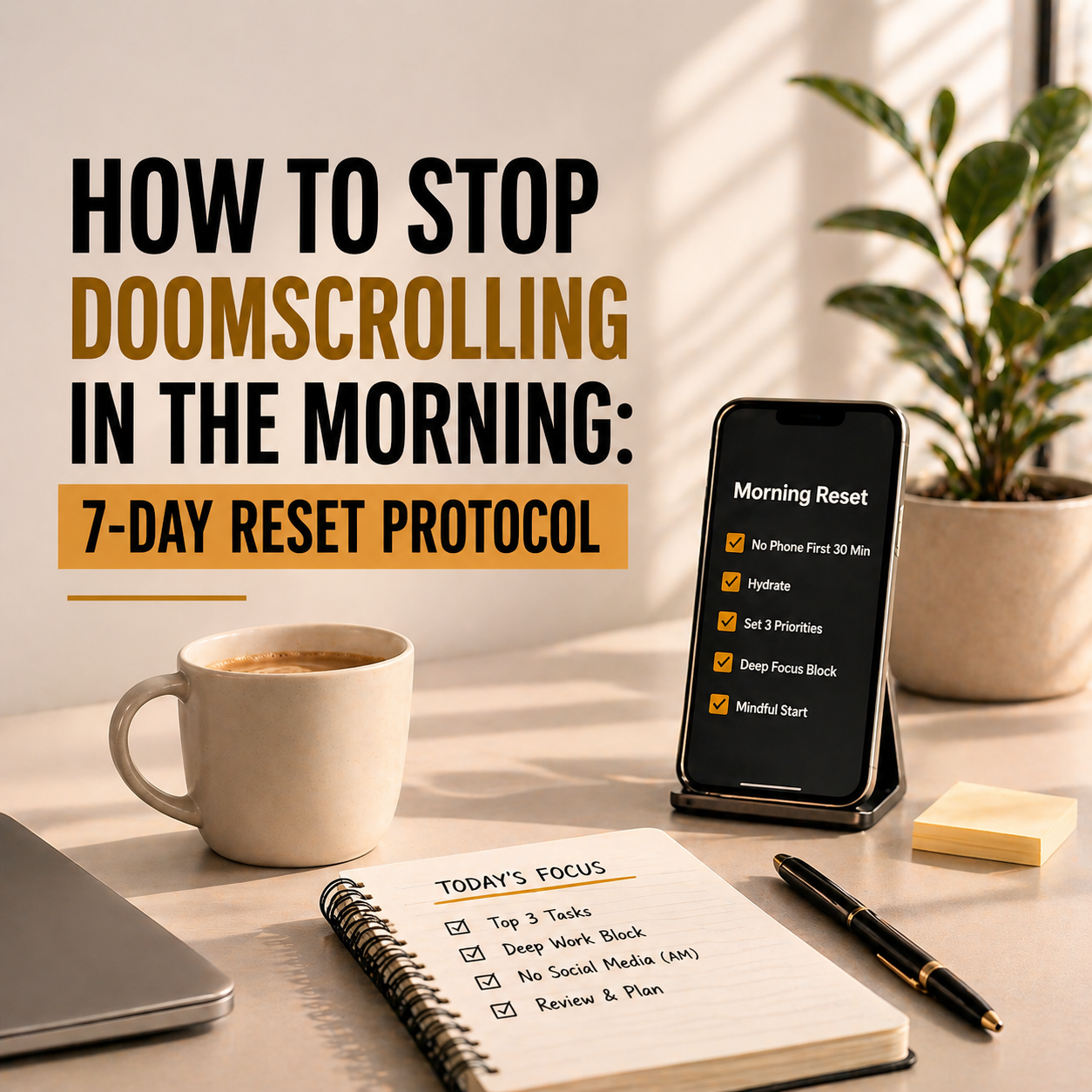
Quick answer: To stop doomscrolling in the morning, move your phone out of arm’s reach before bed, replace the scroll with one specific alternative activity (not willpower), and use a 7-day graduated protocol to build the new habit. Most people can break the morning scroll within one week using systems — willpower alone doesn’t work because your brain at 6 AM has none.
You know the pattern. The alarm goes off. You grab your phone to turn it off. And instead of getting up, you open Instagram. Or Twitter. Or the news. Thirty minutes vanish. You get out of bed already feeling behind, anxious, and vaguely guilty — and you haven’t even brushed your teeth. That’s morning doomscrolling, and if it describes your first 30 minutes, you’re not alone. Research suggests the average person checks their phone within 3 minutes of waking up.
This guide gives you a specific 7-day protocol to break the habit. Not with willpower — willpower is weakest in the morning — but with environmental design, habit substitution, and graduated steps that make the change stick. Each day builds on the last. By Day 7, the scroll is gone.
Why Morning Doomscrolling Is So Destructive
Morning doomscrolling isn’t just a bad habit — it actively damages the rest of your day in ways most people don’t realise.
It hijacks your attention before you’ve set it. Your brain’s first focused minutes set the tone for the day. When those minutes go to algorithmically curated outrage, comparison, or news anxiety, your brain enters reactive mode before you’ve decided what to be proactive about. You spend the rest of the day feeling scattered because you literally started it scattered.
It triggers cortisol at the wrong time. Stressful news and social comparison spike cortisol — the stress hormone. Your body already produces cortisol naturally in the morning (the “cortisol awakening response”) to help you wake up. Scrolling adds artificial cortisol on top, pushing you from alert into anxious. That’s why you feel vaguely stressed after scrolling even when nothing personally bad happened.
It trains your brain to need stimulation immediately. Every morning scroll reinforces a dopamine loop: wake up → feel bored/groggy → grab phone → get dopamine hit. Over weeks, this trains your brain to be unable to tolerate the low-stimulation state of just being awake and thinking. Creativity, reflection, and planning all require low-stimulation moments — morning scrolling slowly destroys your capacity for them.
It steals your best hours. The first 2-3 hours after waking are your cognitive peak for most people. Spending 30-60 minutes of that window on passive content consumption is like using premium fuel to idle in a parking lot.
Why Willpower Alone Doesn’t Work
If you’ve tried to stop morning scrolling before and failed, it’s not because you lack discipline. It’s because your approach relied on willpower, and willpower is a terrible tool for morning habits.
When you first wake up, your prefrontal cortex (the brain region responsible for self-control) is still coming online. It takes 15-30 minutes after waking for executive function to fully engage. During that window, your behaviour is almost entirely driven by habit and environment — not conscious choice. That’s why “I’ll just decide not to scroll” fails every morning.
The 7-day protocol below doesn’t rely on willpower. It changes your environment and substitutes the habit so that not scrolling is the path of least resistance, not the path of most effort.
The 7-Day Morning Doomscroll Reset Protocol
Day 1: Move the Phone
Tonight, before bed, plug your phone charger into an outlet across the room — or better, in a different room entirely. Buy a cheap alarm clock (under $10) if your phone is your alarm. That’s the only change today. Don’t try to change anything else yet.
Why this works: If your phone isn’t within arm’s reach when you wake up, you physically can’t scroll without getting out of bed. Getting out of bed breaks the half-asleep autopilot that drives the scroll. Most morning scrolling happens in the 2-5 minutes between alarm and standing up — removing the phone from that window eliminates the behaviour entirely.
What to expect: You’ll feel a pull to check your phone the moment you wake up. That’s normal — it’s the dopamine loop requesting its hit. Notice it, don’t act on it. The pull fades within 3-5 minutes.
Day 2: Add a Replacement Activity
You can’t just remove a habit — you need to replace the behaviour with something that satisfies the same need. The morning scroll satisfies two needs: stimulation (you’re bored/groggy) and orientation (you want to know what’s happening). Replace both.
Pick ONE of these replacement activities and do it for the first 10 minutes after waking instead of reaching for your phone:
- Drink a full glass of water and look out a window
- 5-minute stretch or light yoga
- Read one page of a physical book
- Write 3 sentences in a journal (what you’re grateful for, what you’ll focus on today)
- Step outside for 2 minutes of sunlight (even on a balcony)
Don’t pick the most ambitious option — pick the easiest one. The goal is replacing the scroll, not building a new discipline. For more ideas on filling your first morning minutes intentionally, see our productive morning routine guide.
What to expect: You’ll feel restless during the replacement activity because your brain expects high stimulation. That restlessness fades by Day 4-5 as the new pattern embeds.
Day 3: Set a Phone-Free Window
Today, commit to not touching your phone for the first 30 minutes after waking. You’ve already moved it across the room (Day 1) and have a replacement activity (Day 2) — now you’re formalising the boundary.
Set a rule: no phone until after you’ve completed your morning replacement activity AND one other task (making coffee, showering, getting dressed — whatever your existing routine includes). The phone comes into your hand only after that second task is done.
Why 30 minutes: By minute 30, your prefrontal cortex is fully online and you’re capable of conscious choice. Checking your phone at minute 30 is a decision. Checking it at minute 1 is a reflex.
What to expect: The first 5 minutes without your phone will feel long. The remaining 25 will feel surprisingly normal. You’ll notice your morning feels calmer than usual — that’s the absence of algorithmically injected cortisol.
Day 4: Change What You See First
When your 30-minute window ends and you do pick up your phone, change what appears first. Most morning scrolling starts because the lock screen shows notifications that pull you in — an Instagram like, a news alert, a group chat message. Remove the trigger.
- Turn off all lock screen notifications (Settings → Notifications → turn off lock screen for social apps and news)
- Move social media apps off your home screen into a folder on page 2 or 3
- Set your home screen to show only tools (calendar, task manager, camera, maps) not feeds
- Use Screen Time or Digital Wellbeing to set daily limits on your top 3 scrolling apps
Why this works: You’re not blocking apps — you’re adding friction. Moving Instagram from your home screen to page 3 takes 2 seconds of extra effort, but that 2 seconds is enough to break the autopilot loop.
What to expect: You’ll still open social apps, but less frequently and later in the day. The morning slot — the most damaging one — is now mostly protected.
Day 5: Extend to 60 Minutes Phone-Free
By Day 5, the 30-minute phone-free window should feel normal. Today, extend it to 60 minutes. Fill the extra 30 minutes with your normal morning routine — shower, breakfast, commute prep, or the start of your first work task.
For most people, 60 phone-free minutes in the morning means arriving at their desk (or starting their first task at home) without having been exposed to any external input. That means your first focused work session is genuinely focused — not contaminated by whatever Twitter argument was trending this morning.
If you use focus timers to protect this window, our best free Pomodoro timer apps guide covers options that include distraction blocking alongside the timer.
What to expect: This is the inflection day. Most people report that 60 phone-free minutes feels noticeably different from 30 — not just calmer, but more creative and more focused. The contrast makes the old habit feel obviously wrong.
Day 6: Add an Evening Shutdown
Morning doomscrolling often has an evening component — scrolling in bed before sleep primes the phone-grab reflex for the next morning. Today, extend the protocol to the other end of the day.
30 minutes before bed, plug your phone into the across-the-room charger (same spot as Day 1) and don’t touch it again until your morning phone-free window ends. Fill those 30 evening minutes with your night-before planning routine (see our how to plan your day the night before guide) or simply read a physical book.
Why this works: Breaking the evening scroll removes the “priming” that triggers the morning scroll. Your last 30 minutes of the day and your first 60 minutes of the next are now both protected. That’s 90 minutes of reclaimed cognitive space every day — more than most productivity hacks promise.
What to expect: The evening will feel harder than the morning did. Evening scrolling is deeply embedded because it’s associated with “relaxation.” Remind yourself: scrolling isn’t rest. Rest is rest. Scrolling is stimulation disguised as relaxation.
Day 7: Lock It In
Today is consolidation day. You’ve built the full system:
- Phone across the room at night
- Replacement activity for first 10 minutes
- 60-minute phone-free morning window
- Lock screen notifications disabled for social/news apps
- Social apps moved off home screen
- 30-minute phone-free evening window with night planning
Today, review how the week felt. Ask yourself: when during the past 6 days did you feel the strongest pull to scroll? That’s your vulnerability window. Add one additional protection specifically for that window (an extra replacement activity, a stricter app limit, or moving your phone to a different room during that time).
Then commit to running this system unchanged for 14 more days. Behavioural research suggests it takes roughly 21 days for a new habit to feel automatic (not the commonly cited “66 days” — that’s for complex habits; phone behaviour is simpler). By the end of 3 weeks, checking your phone within 60 minutes of waking will feel like the unusual choice, not the default one.
What to expect: A quiet satisfaction that doesn’t announce itself loudly. You’ll notice you have more thoughts in the shower. More ideas during breakfast. More focus in the first hour of work. Not because you became smarter — because you stopped drowning your brain in noise before it fully woke up.
Quick Reference: The 7-Day Protocol
| Day | Action | Effort |
|---|---|---|
| 1 | Move phone across room, use alarm clock | 2 minutes |
| 2 | Add one replacement activity (10 min) | 10 minutes |
| 3 | Set 30-minute phone-free morning window | No extra effort |
| 4 | Disable lock screen notifications, move social apps | 5 minutes |
| 5 | Extend to 60-minute phone-free morning | No extra effort |
| 6 | Add 30-minute phone-free evening shutdown | No extra effort |
| 7 | Review, identify vulnerability window, commit to 14 more days | 10 minutes |
What If You Slip?
You will slip. Everyone does. Here’s the difference between people who successfully break the scroll habit and those who don’t: successful ones treat a slip as data, not failure.
If you scroll on Day 4, don’t restart at Day 1. Ask: what triggered the slip? Was your phone back on the nightstand? Did you have a stressful evening? Were you anxious about something specific? Fix the trigger, not the symptom. Then continue Day 5 as planned.
The habit is built across weeks, not perfected on any single day. Seven good mornings out of seven is ideal. Five out of seven still transforms your mornings compared to zero out of seven.
Apps That Help (If You Need Enforcement)
The protocol above doesn’t require any app. But if you want digital enforcement, these help:
- Forest — gamifies phone-free time by growing virtual trees. Free on Android, one-time $3.99 on iOS. Covered in our best free Pomodoro timer apps guide.
- Freedom — blocks distracting apps and websites across all your devices simultaneously. Schedule recurring morning blocks. Covered in our best time management tools guide.
- Screen Time (iOS) / Digital Wellbeing (Android) — built into your phone. Set app limits and downtime schedules. Free, no install needed.
- One Sec — adds a breathing pause before opening social apps. Doesn’t block — just interrupts the reflex.
Start without apps. Add enforcement only if you find yourself consistently overriding the environmental changes. For most people, moving the phone to another room is more effective than any app.
The Deeper Pattern: What Morning Scrolling Is Really About
Morning doomscrolling isn’t really about discipline or phone addiction. It’s about discomfort avoidance. Waking up is uncomfortable — you’re groggy, the day’s demands are approaching, and your brain wants instant comfort. Scrolling delivers it: warm, easy, stimulating, consequence-free (in the moment).
Breaking the scroll means building tolerance for the 5-10 minutes of low-stimulation discomfort that comes with simply being awake and present. That tolerance is the same skill that makes deep work possible, that makes mindfulness habits stick, and that separates people who build things from people who consume things.
The morning scroll isn’t your real problem. It’s a symptom. The 7-day protocol treats the symptom quickly. The lasting change comes from building a morning that’s worth getting out of bed for — and that starts with planning it the night before.
Frequently Asked Questions
How do I stop scrolling my phone first thing in the morning?
Move your phone charger to another room before bed and use a separate alarm clock. This one change eliminates the reflexive grab-and-scroll that happens in the half-asleep window between alarm and getting up. Replace the scroll with one simple activity: drinking water, stretching, or looking out a window. Most people break the habit within 7 days using this approach.
Why is doomscrolling in the morning so bad?
Morning doomscrolling is uniquely damaging because it floods your brain with cortisol, comparison, and reactive stimulation before your prefrontal cortex (the self-control centre) has fully woken up. It sets a reactive, scattered tone for the entire day. It also trains your brain to need immediate stimulation upon waking, which degrades your capacity for focused work and creative thinking over time.
How long should I stay off my phone in the morning?
Start with 30 minutes and work up to 60 minutes over the first week. Research on prefrontal cortex activation suggests it takes 15-30 minutes after waking for executive function to fully engage. A 60-minute phone-free window ensures your first focused work or planning session is genuinely focused, not contaminated by whatever the algorithm served.
What should I do instead of scrolling in the morning?
Pick the easiest replacement, not the most ambitious. Good options include drinking a glass of water and looking out a window, doing a 5-minute stretch, reading one page of a physical book, writing 3 sentences in a journal, or stepping outside for 2 minutes of sunlight. The replacement should be easy enough that you’ll do it even on tired mornings.
Do I need to delete social media apps to stop doomscrolling?
No — deleting apps is extreme and usually doesn’t last. Instead, add friction: move social apps off your home screen into a folder on page 2 or 3, disable lock screen notifications, and set daily time limits using Screen Time (iOS) or Digital Wellbeing (Android). These small changes break the autopilot reflex without eliminating the apps entirely.
How long does it take to break the morning scrolling habit?
Most people notice a significant change within 7 days using the protocol above. The habit feels automatic (no willpower needed) after roughly 21 days of consistent practice. Full habit replacement — where scrolling no longer even occurs to you as an option — typically takes 4-6 weeks. Slips are normal and don’t reset your progress.
What if I need my phone for my alarm?
Buy a basic alarm clock for under $10 — it’s the single best investment for breaking the morning scroll. If you absolutely must use your phone as an alarm, put it across the room on the charger with the screen face-down and Do Not Disturb enabled. The goal is that reaching the alarm requires getting out of bed, which breaks the half-asleep scrolling window.
Final Take — Start Tonight, Not Monday
Don’t wait for the “right time” to start this protocol. Tonight, before bed, do one thing: move your phone charger to the other side of the room. That’s Day 1. It takes 30 seconds. Tomorrow morning, when you wake up and your phone isn’t in your hand, you’ll experience something you might not have felt in years: the quiet of your own thoughts before the world has had a chance to fill them.
Seven days from now, you’ll wonder why you ever started your mornings any other way.
Related Reading
- How to Build a Productive Morning Routine
- How to Plan Your Day the Night Before
- 12 Best Free Pomodoro Timer Apps
- 12 Best Time Management Tools
- Mindfulness Habits of Highly Productive People
- Time Blocking for Entrepreneurs