
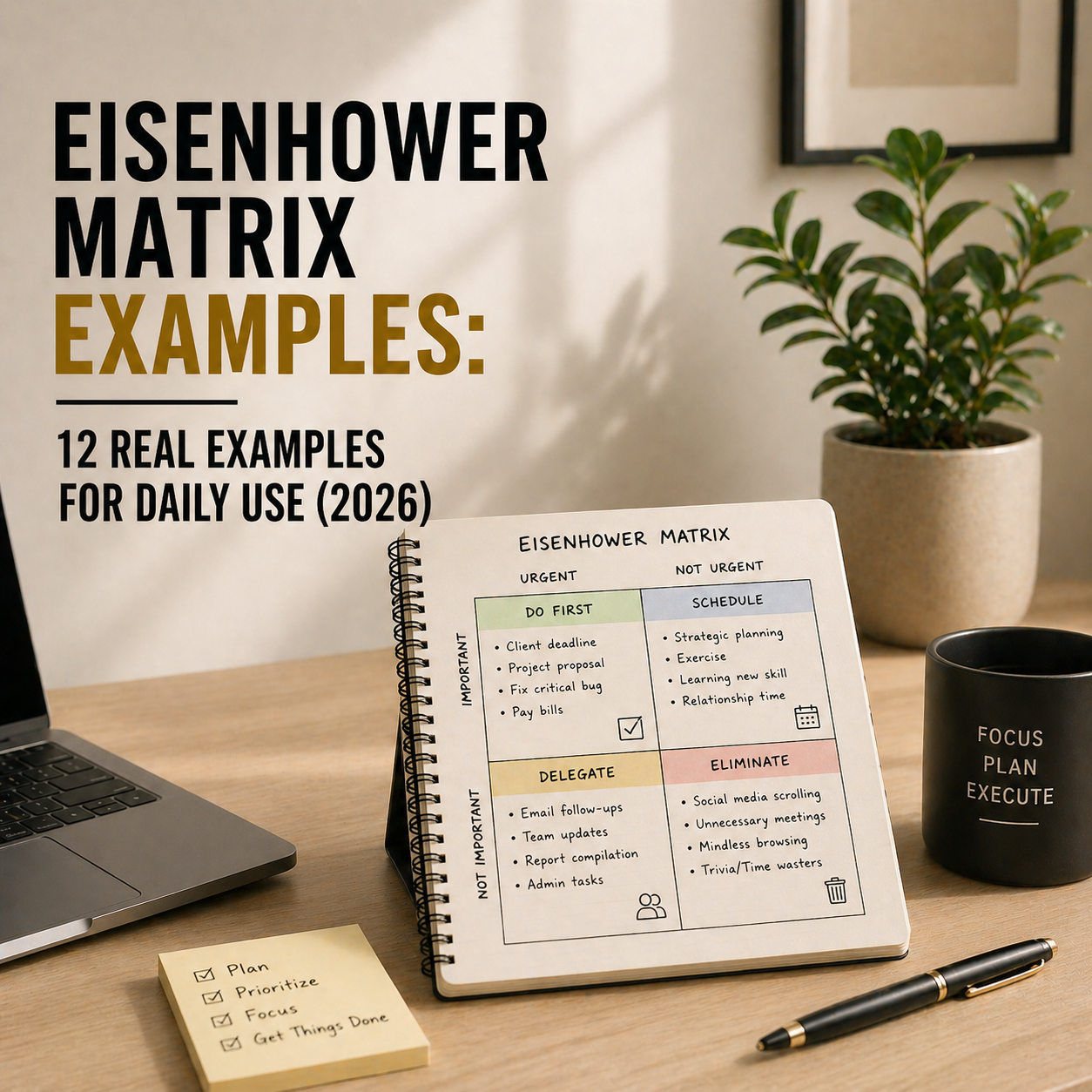
The Eisenhower Matrix is brilliant in theory and useless in practice — until you see real examples of what goes where. Most people read about the four quadrants, nod, and then spend the next week unable to actually sort their tasks because every task “feels” urgent and important. This guide fixes that. Twelve concrete examples across different life situations, with every task placed in a specific quadrant and explained. Copy the ones that match your life, adapt the rest.
If you want the foundational technique first, pair this guide with our 5 time management hacks for entrepreneurs. If you want to action these priorities into your calendar afterwards, see our time blocking guide. This post focuses only on examples — nothing else.
Quick Recap: The 4 Eisenhower Matrix Quadrants
Before the examples, a 30-second refresher. The Eisenhower Matrix sorts every task on two axes — urgency and importance — creating four quadrants:
- Quadrant 1 (Urgent + Important) — DO NOW: Crises, deadlines, genuine emergencies. Handle these immediately.
- Quadrant 2 (Not Urgent + Important) — SCHEDULE: Deep work, planning, relationships, prevention. This is where real success lives.
- Quadrant 3 (Urgent + Not Important) — DELEGATE: Interruptions, most meetings, other people’s priorities. Get these off your plate.
- Quadrant 4 (Not Urgent + Not Important) — DELETE: Time-wasters, busywork, mindless scrolling. Stop doing these.
The trap most people fall into: they treat Quadrant 1 (urgent and important) as the productive quadrant. It’s not. Quadrant 2 — important but not urgent — is where life-changing work lives. Time blocking Q2 work is the single biggest Eisenhower Matrix upgrade you can make.
How to Read the Examples Below
Each example shows a real-world role (entrepreneur, student, parent, etc.) with their weekly task list sorted across all four quadrants. Next to each task, a short note explains why it was placed there. Use these as calibration examples — compare your own tasks to the closest match and sort accordingly.
Example 1: The Solo Entrepreneur
| Quadrant | Tasks |
|---|---|
| Q1 — Do Now | Respond to client complaining about missed deadline. File GST return due tomorrow. Fix website outage blocking sales. |
| Q2 — Schedule | Write Q3 business strategy. Build email list automation. Call three potential partners. Take one full day off per week. |
| Q3 — Delegate | Respond to sales enquiries (hire VA). Post on social media (batch with scheduler). Book flights for industry conference. |
| Q4 — Delete | Read every industry newsletter. Redesign the logo. Check competitor websites daily. Attend every networking event invitation. |
Most solo entrepreneurs fail at Q2. They know strategic planning and partnership-building matter, but Q1 fires keep pulling them back. The fix: block 2 hours every morning for Q2 work before checking email. Q1 stops dominating the day.
Example 2: The Working Parent
| Quadrant | Tasks |
|---|---|
| Q1 — Do Now | Pick up sick child from school. Handle leaking kitchen tap. Submit work report due today. |
| Q2 — Schedule | Plan weekend family activities. Quality one-on-one time with each child. Weekly exercise routine. Update household budget. |
| Q3 — Delegate | Grocery shopping (online delivery). School lunch prep (weekly meal prep). Laundry sorting (teach older kids). |
| Q4 — Delete | Scrolling parenting forums comparing your kids to strangers. Checking work email on weekends. Volunteering for every school committee. |
For working parents, the hardest shift is moving family quality time from Q2 (scheduled but often skipped) into actual calendar blocks. If it’s not on the calendar, urgent work always wins. Pair this with a consistent morning routine and evenings become genuinely yours.
Example 3: The University Student
| Quadrant | Tasks |
|---|---|
| Q1 — Do Now | Assignment due in 48 hours. Respond to professor’s email about exam. Register for next semester before deadline closes. |
| Q2 — Schedule | Study 90 minutes daily for upcoming exams. Build a portfolio for job applications. Attend career counselling. Weekly exercise. |
| Q3 — Delegate | Group project admin (rotate with team). Notes for classes you missed (swap with study buddy). |
| Q4 — Delete | Reading every text thread in study group chat. Retaking notes that are already in slides. Rewatching lectures you already understood. |
Students overload Q1 because assignments feel urgent right up until the moment they’re due. The trap: everything becomes urgent because nothing was scheduled as Q2 earlier. Block study time 7-10 days before exams and Q1 stops existing.
Example 4: The Remote Worker
| Quadrant | Tasks |
|---|---|
| Q1 — Do Now | Client presentation in 3 hours. Production bug blocking the team. Urgent manager request for status update. |
| Q2 — Schedule | Weekly deep work on main project. Skill development (1 hour daily). Relationship building with team members. Proper ergonomic desk setup. |
| Q3 — Delegate | Status report writing (use a template). Recurring meeting attendance you don’t add value to. Travel booking for team offsite. |
| Q4 — Delete | Slack lurking in channels you don’t contribute to. Attending every optional company webinar. Checking email more than 3 times daily. |
Remote workers fall into “visible busy” — doing Q3 work because being seen as responsive feels safer than doing Q2 deep work. The fix: block 2 hours daily with Slack notifications off. Your career is built in Q2, not in Slack.
Example 5: The Freelancer With Multiple Clients
| Quadrant | Tasks |
|---|---|
| Q1 — Do Now | Client A deliverable due tonight. Invoice overdue from Client B (chase today). Emergency revision request from Client C. |
| Q2 — Schedule | Raise rates on lowest-paying clients. Build portfolio case studies. Systematise onboarding. Save for taxes (weekly). |
| Q3 — Delegate | Bookkeeping (hire part-time). Admin emails (create templates). Project file organisation. |
| Q4 — Delete | Comparing your rates to freelancer Twitter. Redesigning your website every 3 months. Checking Upwork/Fiverr when you have steady work. |
Freelancers get trapped in the “feast or famine” cycle by avoiding Q2 work during busy periods. Raising rates, building case studies, and systematising admin all feel “not urgent” — until the slow month hits. Schedule 2 hours every Friday for Q2 freelance work, no exceptions.
Example 6: The Team Manager
| Quadrant | Tasks |
|---|---|
| Q1 — Do Now | Escalated customer issue needing manager sign-off. Team member’s personal crisis requiring support. Board deck due in 24 hours. |
| Q2 — Schedule | 1:1 development conversations with each direct report. Team hiring plan for next quarter. Reading on leadership. Strategic roadmap work. |
| Q3 — Delegate | Status meetings where you’re just an observer. Routine reporting. First-draft documents you would only edit anyway. |
| Q4 — Delete | Checking team Slack activity to feel informed. Attending every “optional” leadership Zoom. Detailed reviews of work that doesn’t need manager approval. |
Team managers sabotage their own careers by letting Q3 meetings fill calendars. Your team’s growth depends on Q2 work — 1:1s, coaching, planning — that you can’t do if you’re in 6 hours of meetings daily. Cancel half of your recurring meetings this week and see what actually breaks.
Example 7: The Stay-at-Home Parent
| Quadrant | Tasks |
|---|---|
| Q1 — Do Now | Handle toddler meltdown. Pick up prescription before pharmacy closes. School is calling about your child. |
| Q2 — Schedule | Quality time with each child individually. Your own skill development (reading, course, side project). Exercise. Regular date night. |
| Q3 — Delegate | Grocery delivery. Online shopping returns. Household errands (batch with partner or older kids). |
| Q4 — Delete | Comparing your parenting to Instagram influencers. Obsessing over Pinterest-perfect meals. Volunteering for every school event. |
Stay-at-home parents get trapped in an all-Q1 life because everything feels urgent. The truth: most tasks that feel urgent aren’t important — they’re just loud. Put your own development into Q2 deliberately, block 30 minutes daily for it, and the rest of the day becomes more sustainable.
Example 8: The Software Developer
| Quadrant | Tasks |
|---|---|
| Q1 — Do Now | Production incident affecting users. Sprint demo preparation for tomorrow. Critical security patch deployment. |
| Q2 — Schedule | Refactoring legacy code. Learning new framework relevant to role. Writing documentation. Code review discipline. Side project for portfolio. |
| Q3 — Delegate | Repetitive ticket triage (rotate with team). Meeting attendance where you don’t add value. Answering same questions (document and share). |
| Q4 — Delete | Hacker News compulsive checking. Trying every new framework that goes viral. Endless configuration of your editor setup. |
Developers love Q4 because it feels productive — configuring, optimising, exploring — without the discomfort of actual Q2 work like documenting or refactoring. The career reality: promotions come from Q2 work, not Q4 tinkering.
Example 9: The Small Business Owner
| Quadrant | Tasks |
|---|---|
| Q1 — Do Now | Payroll processing today. Angry customer demanding refund. Inventory emergency (out of stock of top seller). |
| Q2 — Schedule | Build SOPs for core operations. Hire your first employee. Develop new product line. Quarterly financial review. Build email list. |
| Q3 — Delegate | Customer service emails (hire VA). Social media posting. Bookkeeping. Appointment scheduling. |
| Q4 — Delete | Personally handling every customer interaction. Checking sales dashboard hourly. Redesigning the website every quarter. |
Small business owners confuse “doing everything” with Q1 work. Most of what feels like Q1 is actually Q3 you refuse to delegate. Hiring a VA for 10 hours a week often pays for itself by freeing 10 hours of owner Q2 work.
Example 10: The Job Seeker
| Quadrant | Tasks |
|---|---|
| Q1 — Do Now | Prepare for interview tomorrow. Submit application before deadline closes. Follow up on offer that expires in 48 hours. |
| Q2 — Schedule | Skill gap analysis and learning. LinkedIn optimisation. Networking conversations (2 per week). Mock interview practice. Portfolio updates. |
| Q3 — Delegate | Application tracking (use a spreadsheet). Resume formatting variations (create templates). Automated job board alerts. |
| Q4 — Delete | Endlessly rewriting cover letters that won’t be read. Applying to 100 jobs a day with generic resumes. Comparing yourself to LinkedIn success stories. |
Job seekers default to high-volume low-quality Q1 work (mass applications) instead of Q2 work (targeted networking, skill building, portfolio). The maths: five thoughtful networking conversations beat 500 generic applications every single time.
Example 11: The Content Creator
| Quadrant | Tasks |
|---|---|
| Q1 — Do Now | Record video that was supposed to post today. Respond to brand deal with tight deadline. Fix broken sponsor link in recent post. |
| Q2 — Schedule | Build content system (batch recording, scheduling). Grow email list. Develop signature product or course. Study analytics weekly. |
| Q3 — Delegate | Thumbnail design. Captions and transcription. Cross-posting to other platforms. |
| Q4 — Delete | Refreshing view counts every hour. Comparing your growth to bigger creators. Jumping to every trending topic that isn’t your niche. |
Content creators get stuck in Q1 sprints (scrambling to post) because they never built a Q2 system (batching, scheduling, email list). Three weeks of Q2 work permanently eliminates 80% of Q1 creator panic.
Example 12: The Side Hustler (Full-time Job + Side Business)
| Quadrant | Tasks |
|---|---|
| Q1 — Do Now | Day job deadline today. Side hustle client deliverable due this weekend. Critical bug in side business. |
| Q2 — Schedule | Build side hustle during fixed weekly hours (e.g., 2 hours weekday mornings + Saturday morning). Sleep 7+ hours. Exercise. Quarterly transition review. |
| Q3 — Delegate | Admin for side business. Content repurposing. Appointment setting. |
| Q4 — Delete | Mindless scrolling “researching” side hustle niches you’ll never start. Watching every entrepreneur YouTube video. Constantly switching business ideas. |
Side hustlers burn out by letting their side business become another all-day job. The winning pattern: treat your side business as strict Q2 work with fixed time boundaries. Apply structured focus techniques like the ones in our best free Pomodoro timer apps guide during those side hustle blocks — the time is limited, so the focus must be intense.
A Simple Eisenhower Matrix Template (Copy & Use)
Here’s a simple template to apply this to your own week. Write your top 15-20 tasks, then sort each into one quadrant by asking two questions:
- Is this urgent? (Must be done today or within 24-48 hours, or there are real consequences)
- Is this important? (Does this move the needle on your actual goals, or is it busywork?)
| Your Quadrant | Your Tasks (write here) |
|---|---|
| Q1 — Do Now (Urgent + Important) | _______________________________ |
| Q2 — Schedule (Not Urgent + Important) | _______________________________ |
| Q3 — Delegate (Urgent + Not Important) | _______________________________ |
| Q4 — Delete (Not Urgent + Not Important) | _______________________________ |
Rule of thumb for the sorting: if everything feels Q1, you’re probably wrong about the importance axis. If almost nothing is in Q2, you’re not scheduling your actual priorities. Most people’s real matrix — once they’re honest — has more in Q3 and Q4 than they expected.
Common Eisenhower Matrix Mistakes
Three mistakes kill Eisenhower Matrix effectiveness for most people:
- Confusing “feels urgent” with “is urgent.” Emails feel urgent. They almost never are. A genuine urgent task is one where skipping it causes real harm within 24-48 hours.
- Putting everything in Q1. If your matrix has 15 tasks in Q1 and 2 in Q2, you haven’t actually sorted — you’ve just relabelled your to-do list as “do everything now.”
- Never deleting Q4. Q4 isn’t “things I’ll get to later.” It’s “things I won’t do at all.” Deleting feels uncomfortable because most Q4 items feel harmless. They’re harmless individually — they’re destructive collectively.
For more on the underlying habits that make prioritization stick, see our mindfulness habits of highly productive people.
Frequently Asked Questions
What is the Eisenhower Matrix with examples?
The Eisenhower Matrix is a prioritization tool that sorts tasks into four quadrants: Q1 (urgent and important — do now), Q2 (not urgent but important — schedule), Q3 (urgent but not important — delegate), and Q4 (not urgent and not important — delete). Example: replying to a client crisis is Q1, weekly strategic planning is Q2, routine status meetings are Q3, and scrolling news sites is Q4.
Which quadrant of the Eisenhower Matrix is most important?
Quadrant 2 (not urgent but important) is the most important — even though Quadrant 1 feels most important because of urgency. Q2 is where strategic planning, skill development, relationship building, and prevention work live. Most successful people spend the majority of their time in Q2, which prevents Q1 crises from appearing in the first place.
What’s an example of a Quadrant 2 task?
Q2 tasks are important but not urgent — things that drive long-term success but can be postponed. Examples include weekly exercise, skill development and learning, strategic business planning, maintaining relationships, updating your resume before you need it, preventive health checkups, and saving/investing money. These tasks feel postponable but produce the biggest life outcomes.
How do I know if a task is urgent or important?
Ask two questions. For urgency: “If I don’t do this in the next 24-48 hours, are there real consequences?” If no, it’s not urgent. For importance: “Does this meaningfully advance my actual goals, or is it just busywork?” If it doesn’t move the needle, it’s not important. Most tasks people label “urgent” are actually just loud — not genuinely time-sensitive.
Can the Eisenhower Matrix be used for personal life?
Yes, and it’s arguably more impactful there than at work. Personal Q1 might be handling a sick child or a broken boiler. Personal Q2 is quality time with family, exercise, sleep, and learning. Personal Q3 includes most errands that could be delegated or batched. Personal Q4 covers mindless scrolling, comparing yourself online, and over-volunteering for things you don’t actually care about.
Who should I delegate Quadrant 3 tasks to?
Options include a virtual assistant (affordable globally), a family member (for household Q3), a team member (for work Q3), automation (for recurring Q3 like scheduling or social posting), or a service (for specialised Q3 like bookkeeping or cleaning). The principle: if the task is urgent but doesn’t specifically require your judgment, someone or something else should be doing it.
How often should I update my Eisenhower Matrix?
Most people get the best results with a daily quick sort (5 minutes each morning on tomorrow’s top 10 tasks) plus a weekly deep review (20 minutes on Sunday or Monday). Daily keeps you tactical. Weekly catches patterns — if you keep putting the same task in Q4, it’s time to either schedule it as Q2 or delete it permanently.
Final Take — Applying the Eisenhower Matrix Today
Don’t try to sort your entire life. Take tomorrow’s top 10 tasks, sort them into the four quadrants, and then do two things: block time for every Q2 task on your calendar, and delete every Q4 task immediately. That’s it. That’s the whole exercise for day one.
Do this every morning for two weeks and the Eisenhower Matrix stops being a productivity concept and becomes a reflex. You’ll stop treating every email as urgent. You’ll stop letting Q3 meetings eat your day. And — most importantly — you’ll start making weekly progress on the Q2 work that actually changes your life.
Related Reading
- Time Blocking for Entrepreneurs
- 5 Time Management Hacks for Entrepreneurs
- Time Blocking vs Time Boxing
- How to Boost Productivity with the Pomodoro Technique
- 12 Best Time Management Tools
- 10 Productivity Tips for Entrepreneurs